Solutions · Fine dining

POS for fine dining restaurants

The booking arrives with its deposit or a card held as a guarantee, the floor knows who is coming back and which allergies they bring, and the kitchen gets every dish with its course. A long service, without a single lost handover.

  • Bookings with deposits
  • Guest profiles
  • Allergies first
  • Kitchen by course
  • Payment at the table
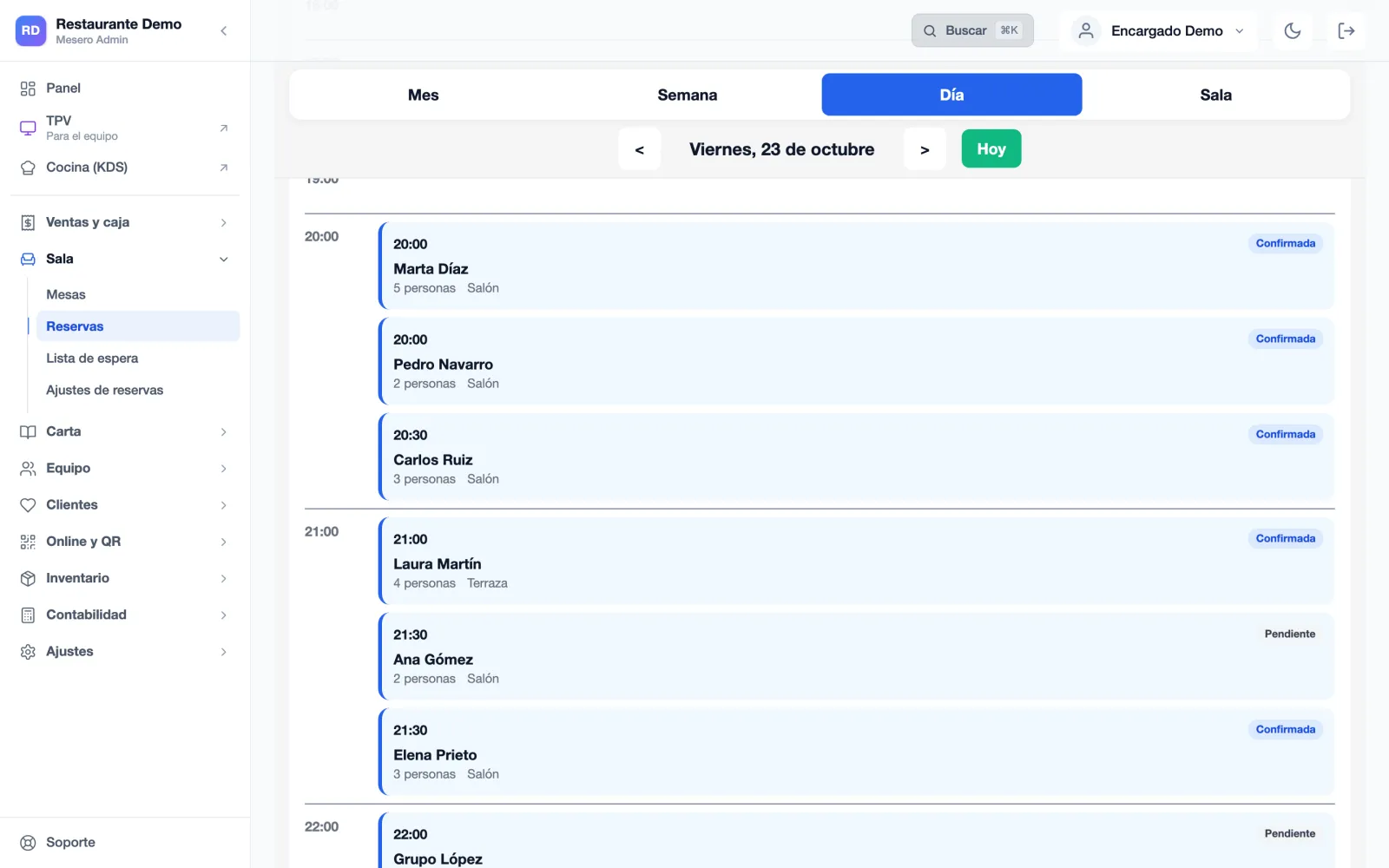
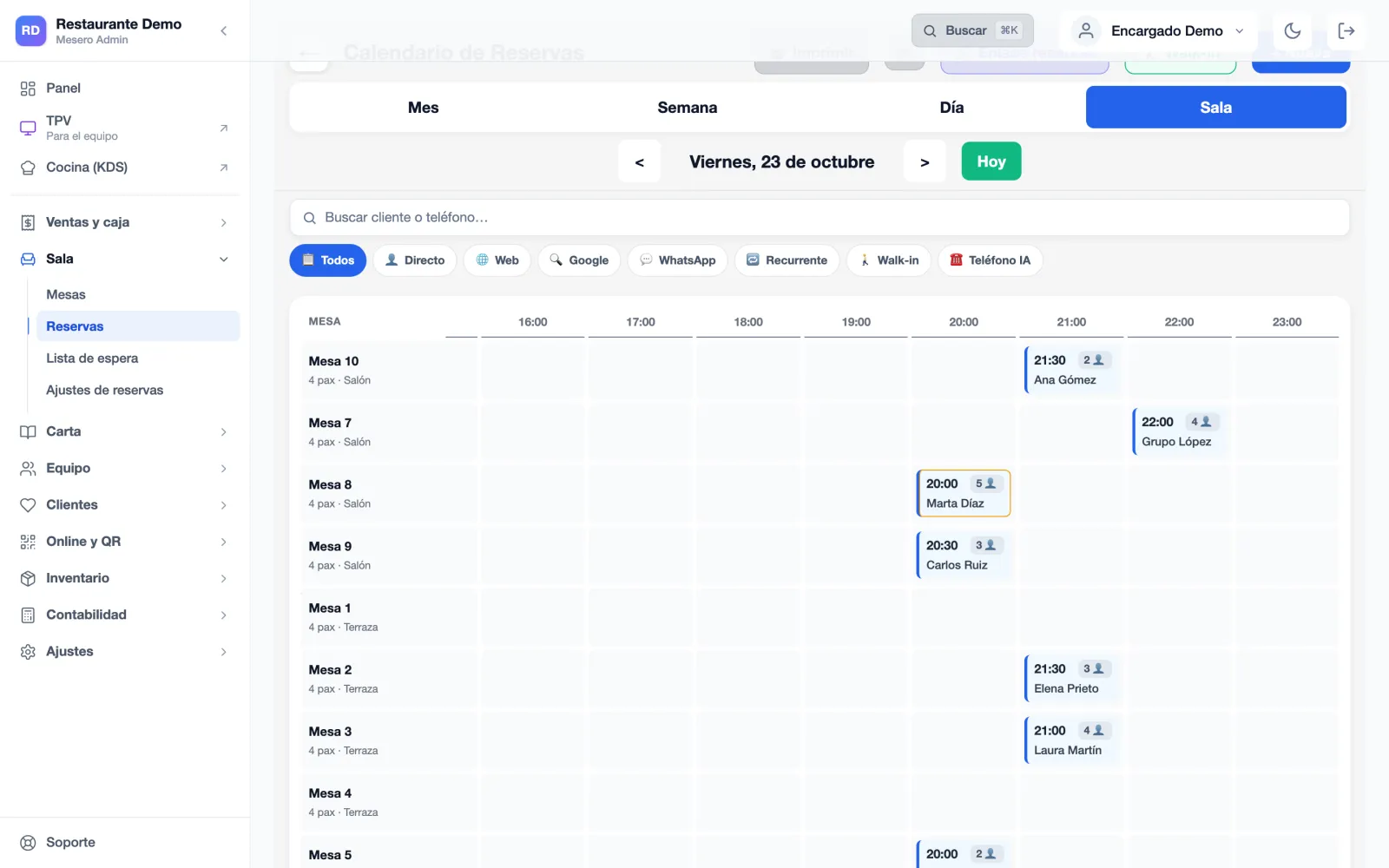
Mesero's booking calendar in Floor view (Spanish interface): each table on a row and each booking at its time, with its name and party size, for Friday 23 October.
Example
A real screen of Mesero's booking calendar (Spanish interface) with demo data; around it, examples of what happens during a fine dining service.
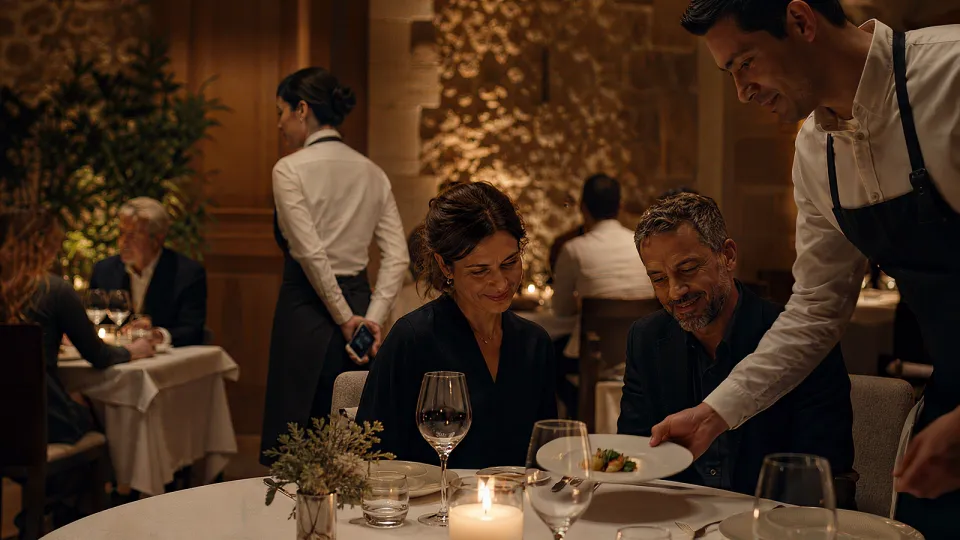
A fine dining room at night: a server sets down a course in front of a couple and, behind them, a server waits with a phone in her hand.

9:45 pm · Dining roomThe dish reaches the table on time, and the floor already knows who is celebrating and who can't eat shellfish.

What fine dining needs

The floor knows who is coming before they arrive.

In fine dining, an empty table costs a service and an allergy mistake can't be undone. This is what Mesero does there.

A deposit or a card guarantee

The online booking takes a card deposit, refunded if the guest cancels, or holds the card as a guarantee and charges it only if they don't show. You set the amount per booking and, if you like, how many hours ahead and what share is refunded.

No-shows, by name

You mark «No-show» and, if the card was held as a guarantee, it's charged then. Their profile counts the absences and, after the third, they can no longer book online or join the waitlist: we ask them to call.

Every guest's profile

Silver, Gold or Platinum level, notes, diet, birthday and visits, in the CRM. Before opening, the shift briefing says who is VIP, who is celebrating and who is coming for the first time; when they arrive, every till flags it.

Allergies that always get through

The ones on their profile, if the guest gave consent, or the ones the floor marks with «+ Allergies». They print first on every order, reprints included, and head the order on the kitchen display.

Every dish, with its course

Every dish carries its course, first, second or third: the menu's by default or the one you set at the table. The kitchen display orders them by course and the Expo view shows only what is ready to go out.

The bill, at the table

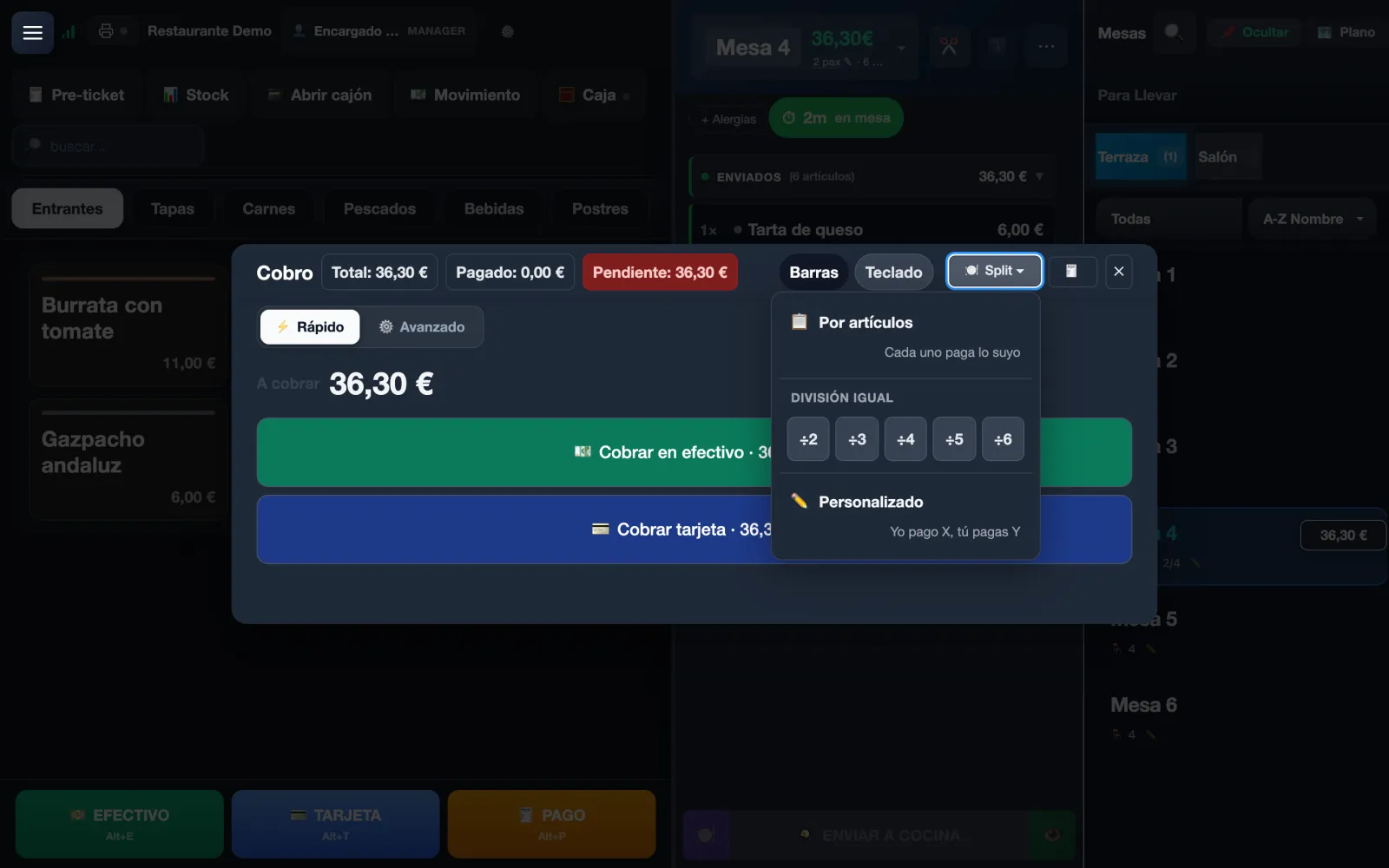
The server takes payment at the table with the Comercia card terminal from Mesero Comandas, tip included. And the table of eight's bill splits by item, evenly or «I pay X, you pay Y».

A service in your restaurant

From the booking book to the last coffee.

This is how a fine dining service runs on Mesero, with its real screens (Spanish interface) and example data. Scroll slowly: the clock moves with you.

  1. · Before opening

    The day's book, with every profile

    The day's bookings sit in the calendar with their time, table and status. On each one, what matters: their allergies, their level, whether they are celebrating and whether they have missed a booking before.

    The shift briefing gathers what matters before opening: who is VIP, who has allergies and who is coming for the first time. Bookings and profiles are on the Pro plan.

  2. · The table

    The order, taken at the table

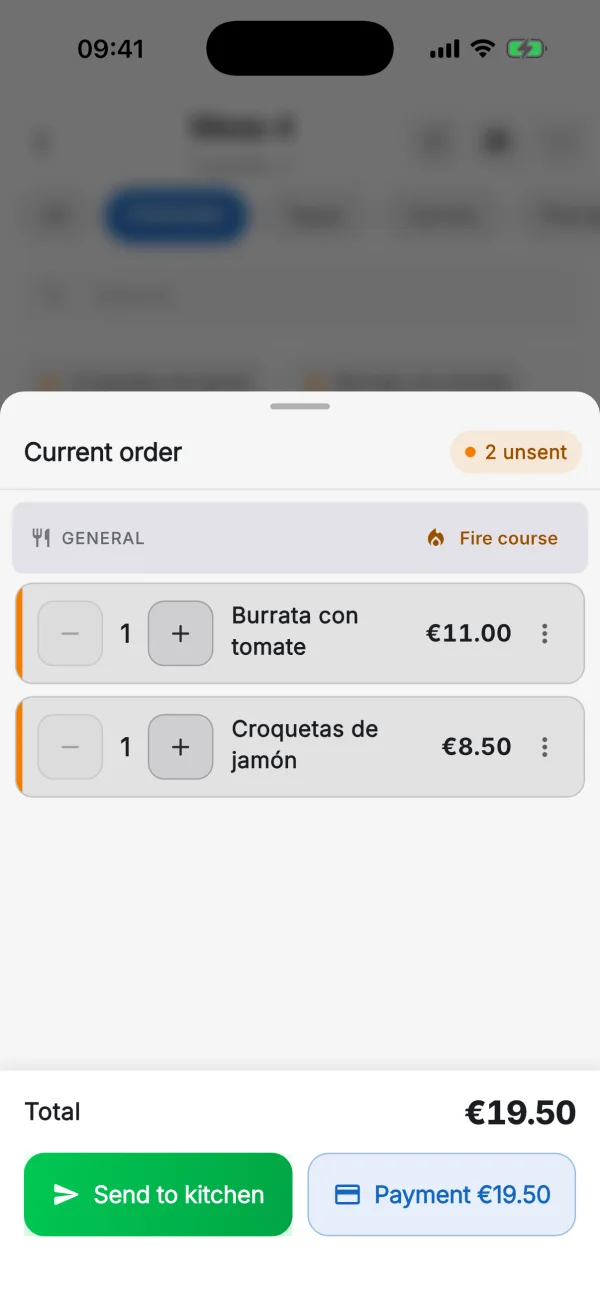
    The server takes the order on their phone with Mesero Comandas and, on «Send to kitchen», what's pending goes to the kitchen display and the printers.

    On the till, the table shows whether the booking's deposit was paid and, once the guest is linked, their profile with their allergies.

  3. · Kitchen

    By course, with the allergies up front

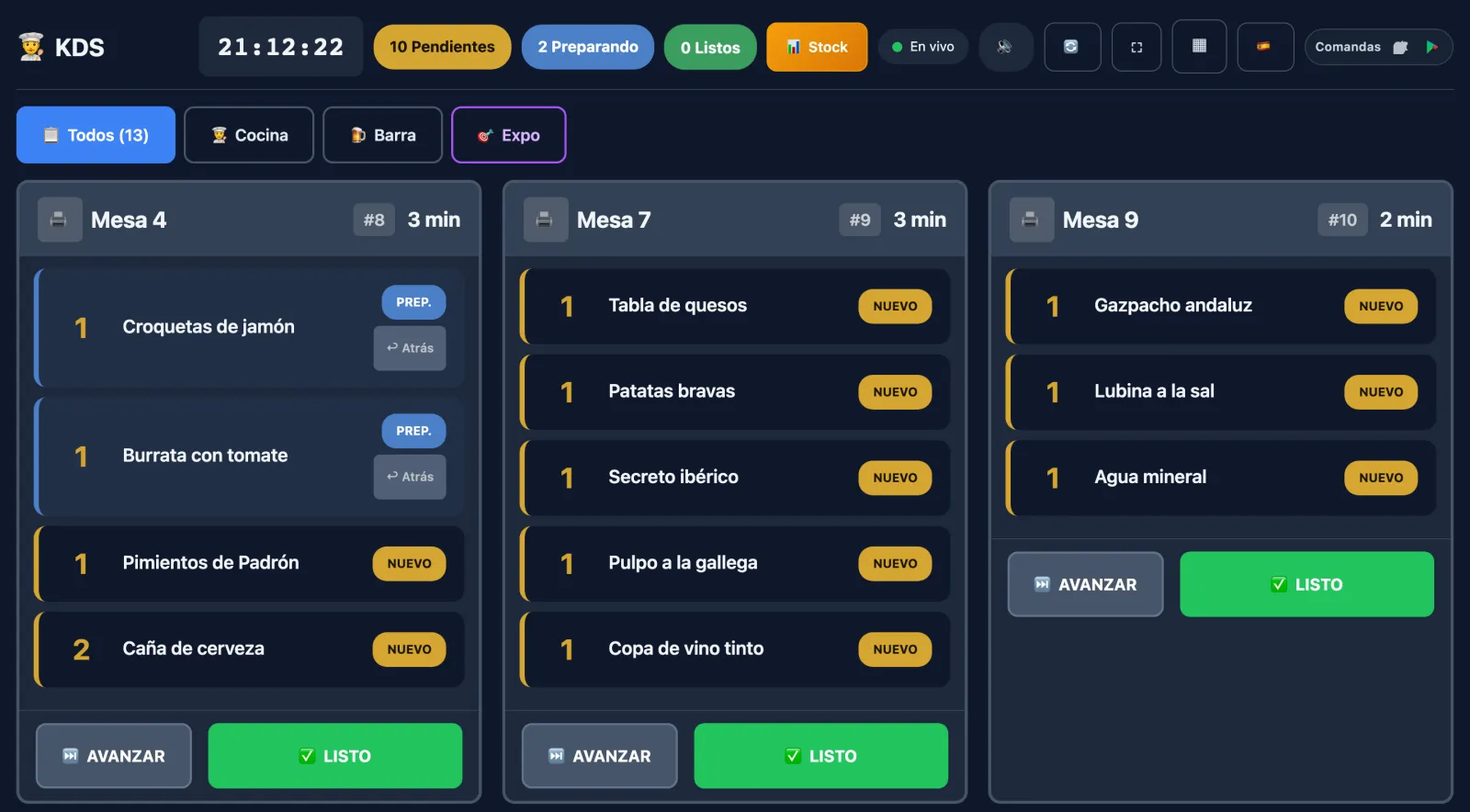
    The kitchen display orders the dishes by course, with their table and notes, and the allergies head the order. The printed ticket groups them by course too.

    The kitchen display comes with the Starter plan and up, with no licence per screen.

  4. · Coffee

    The bill, however they ask for it

    By item, evenly, «I pay X, you pay Y» or on a new ticket. The server takes payment at the table on the Comercia card terminal, tip included.

    The integrated card terminal is on every plan. The tip stays on each payment and in the cash close.

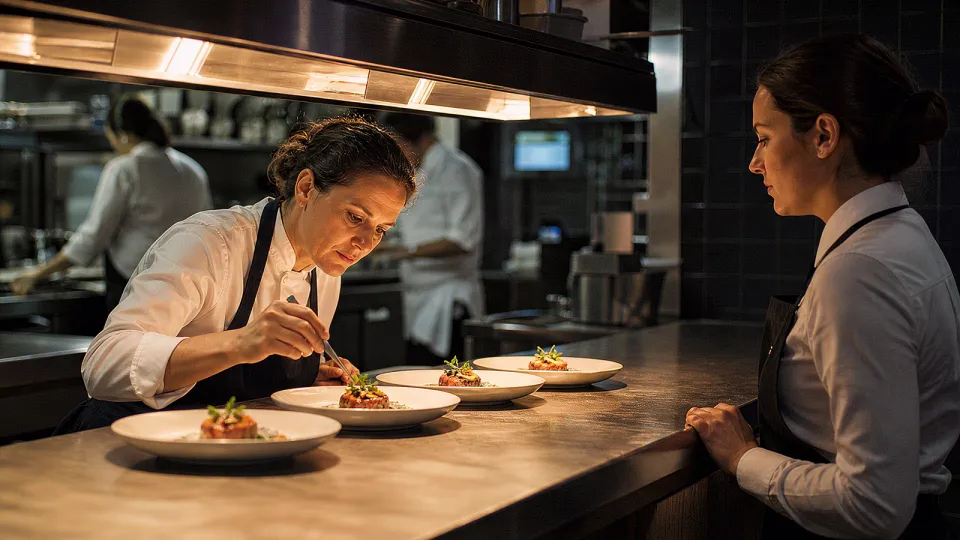
The pass of a fine dining kitchen: the head chef finishes four identical plates with tweezers while a server waits to take them.

10:10 pm · KitchenEvery dish reaches the kitchen display with its table, its course and its allergies up front.

Guests from abroad

The menu, the reviews and the booking, in their language.

Many tables speak another language. Mesero serves them in theirs before and after the meal, with no one translating.

The menu in their language

On the Pro plan, Mesero translates the dishes and their descriptions automatically into the languages you choose. On the QR menu, guests read the dishes and allergens in their language; the order is still taken by whoever can tell the story.

Reviews, answered

With Google reviews, on Pro, Mesero drafts a reply to each review, in the language the guest wrote in and in your house style. You decide what gets published.

«Book a table» on your Google listing

From Google reviews you switch on «Book a table» and it reaches your listing when you press «Save on Google». It leads to your Mesero booking page, not an aggregator, with its deposit if you ask for one.

Which plan

Three restaurants, three plans.

The same POS for all of them. What changes is whether bookings and guest profiles live in Mesero, and how many venues you have.

  • Starter · €39/monthFloor and kitchen

    Tables, Mesero Comandas, 5 users and a kitchen display with the dishes by course. No online bookings or guest profiles.

  • Pro · €79/monthWith bookings and profiles

    Bookings with deposits, the waitlist, guest profiles, AI review replies and the translated menu, with 3 terminals, 15 users and 3 kitchen displays.

  • Enterprise · from €149/monthRestaurant group

    Several venues with a central dashboard, unlimited terminals and users, and an audit log.

All connected

The booking, the table and the kitchen, on the same bill.

Not six programs stitched together: one database. A booked table shows as reserved on the POS, the order from the waiter's phone reaches the same kitchen and a returning guest has their file above the bill.

  • One menu for everything. Change it once and it changes on the POS, on the waiters' phones and on the QR menu.
  • Everyone with their own PIN. Voids and discounts stay in the name of whoever made them.
  • No required hardware. Your tablets, a TV for the kitchen and your 80 mm thermal printer will do.
Your restaurant at the centre, with the POS, bookings, the CRM, the kitchen display, Mesero Comandas and cash control around it.
Pricing

A fine dining restaurant starts on Pro.

Pro, at €79/month, has bookings with deposits, the waitlist, guest profiles and AI review replies, with 3 terminals, 15 users and 3 kitchen displays. Enterprise adds several venues with a central dashboard.

Save up to 25%

Barra

For solo-operator bars and cafés: just what you need to sell, take payment and stay compliant.

€19/mo
Start free
  • 1 POS terminal and 1 user
  • Floor, bar, counter or takeaway
  • QR ordering at the table
  • Receipts, printing and VeriFactu
  • Apps: Mesero Admin and Comandas (1 user)

Starter

For smaller restaurants that want a cleaner operation without extra complexity.

€39/mo
Start free
  • 1 POS terminal and 5 staff users
  • Tables and QR ordering, plus 1 KDS screen
  • Apps: Mesero Admin and Mesero Fichar
  • Mesero Comandas based on terminals and users
  • VeriFactu included
  • No online ordering, kiosk or CRM

Enterprise

For groups and franchises that need control, integrations and multi-location visibility.

From €149/mo
Contact sales
  • Unlimited terminals, users and tables
  • Full suite: Admin, Comandas and Fichar
  • Unlimited KDS, bookings and inventory
  • All integrations plus an audit log
  • Multi-location dashboard and priority support
  • VeriFactu and cash control, on all four plans.
  • No commission per order. A card payment through Mesero: only Stripe's fee.
  • No per-kiosk fee and no per-screen kitchen licence.
  • No setup fee, no lock-in: try it free, no card.

Prices exclude VAT (21%). Compare what each plan includes →

Frequently asked questions

What a fine dining restaurant asks before switching POS.

If your question isn't here, write to us: a person from the team will reply.

Talk to the team
Can I ask for a deposit with the booking?

Yes, on the Pro plan with Stripe connected. You set an amount per booking and the guest pays it by card when booking on your booking page. It's refunded if they cancel; with a cancellation policy you decide how many hours ahead and what share. Or, instead of charging it, the card is held as a guarantee and charged only if they don't show. Bookings your team takes by phone carry no deposit.

What happens with no-shows?

You mark «No-show»: if the card was held as a guarantee, it's charged; if they paid a deposit, it isn't refunded. Their profile adds the absence and, after the third, they can no longer book online or join the waitlist: we ask them to call. You can unblock them whenever you like.

How do allergies reach the kitchen?

With «+ Allergies» on the ticket, or from their profile if the guest gave consent. They print first on every order, reprints included, and head the order on the kitchen display.

Does the kitchen see the dishes by course?

Yes. Every dish carries its course, first, second or third: the menu's by default or the one you set on the till. The kitchen display orders them by course and the printed ticket groups them.

Can guests pay at the table?

Yes. The server takes payment at the table with the Comercia card terminal from Mesero Comandas, tip included, on every plan. And if you switch on online payment, guests see their bill on the QR menu and pay it by card, in full, split between several people or with a tip.

Do you charge per cover or per booking?

No. Bookings are included in the Pro plan, with no cost per cover or per booking received. A deposit paid by card carries only Stripe's fee.

Is the menu available in other languages?

Yes, on the Pro plan: Mesero translates the dishes and their descriptions automatically into the languages you choose, and the QR menu shows guests the dishes and allergens in their language.
Next step

Try it on your next service, with your real bookings.

Free, no card and no commitment. Set up your menu with its courses, switch on bookings with deposits and see on Monday who came and who didn't.

  • €0Per bookingNo commission per cover.
  • 3Guest levelsSilver, Gold and Platinum.
  • 3No-showsAnd no more online bookings.
  • €0Setup feeNo setup fee, no commitment.
Try it free No card needed
Try it

A real Mesero screen (Spanish interface), with demo data.