Every dish with its round
On the kitchen display every dish carries the round it belongs to (R1, R2…) and the table's note: how many they are and their allergies.
Solutions · All-you-can-eat buffet
Rounds with a wait in between, a cap per person, premium dishes with quotas, allergies that reach the kitchen and one bill per table even when five phones are ordering. For sushi, Asian, hot-pot or grill. We designed it from the requirements of a Japanese AYCE restaurant in Barcelona.
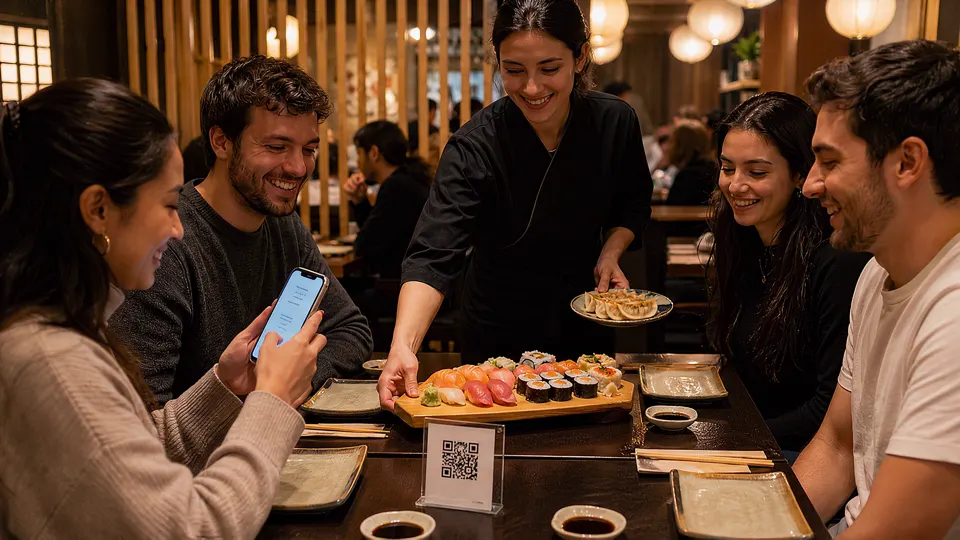
9:00 pm · All you can eatEvery round is ordered from the phone and reaches the kitchen with its table.
This is how a table of four goes through a 90-minute buffet in Mesero, with the real screens they see on their phone and demo data. Scroll slowly: the clock moves with the dinner.
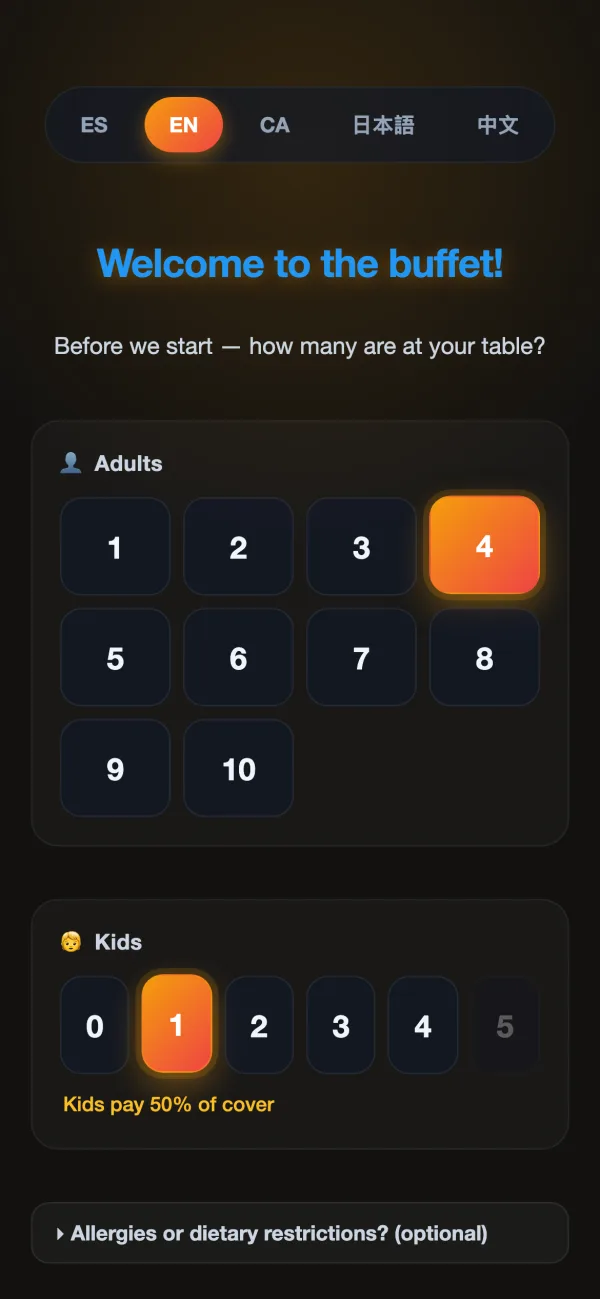
The table's QR opens the buffet in the phone's browser, with no app. They choose how many they are and how many children; if children pay half the cover, or nothing, the screen tells them there and then. If you like, there is also a row for seniors with their own discount.
If you would rather the waiter counted the guests, the waiter opens the table from the POS and the guests go straight to the menu. You can charge for dishes left uneaten, and if you do, the notice appears here, before anyone orders.
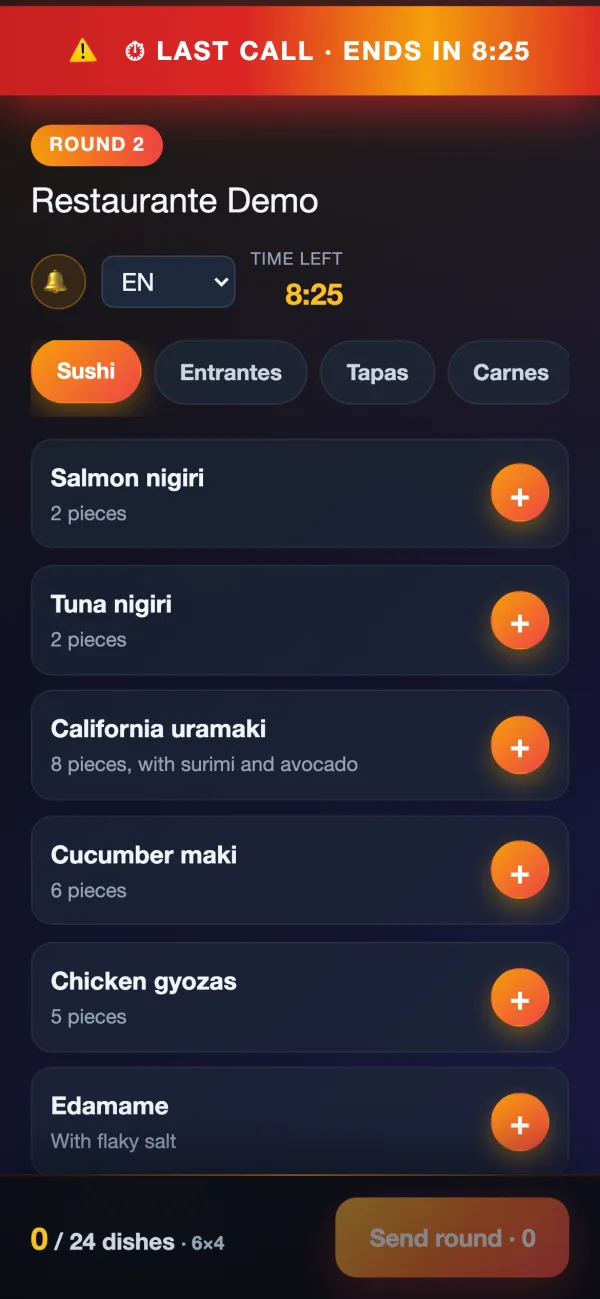
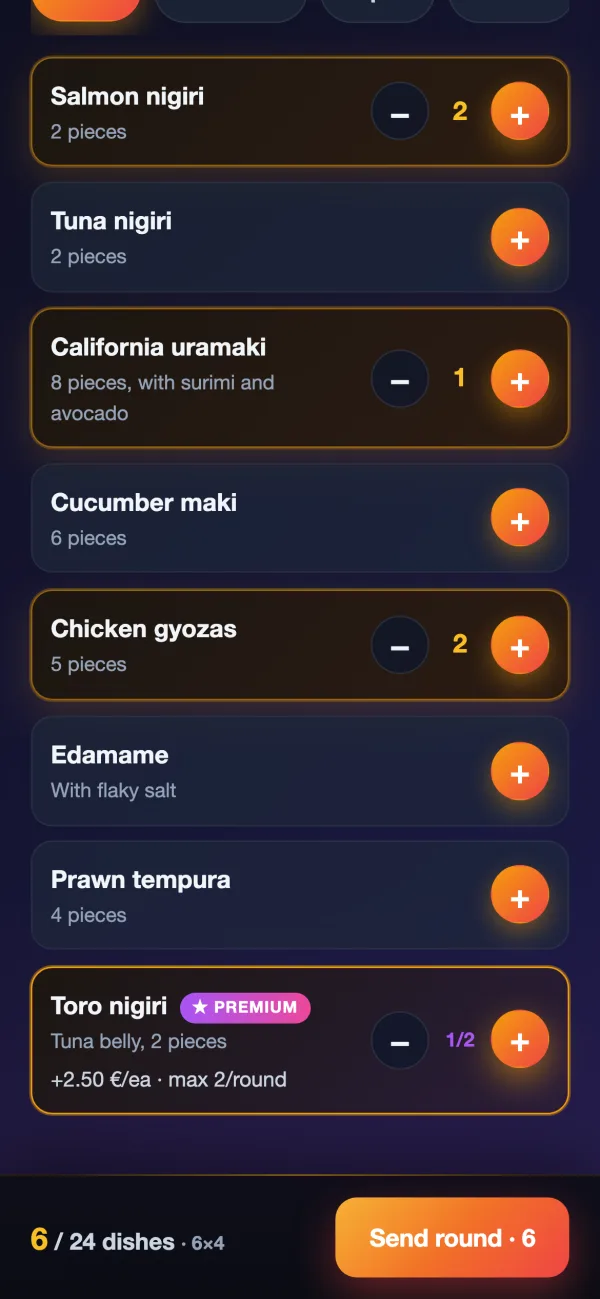
They order up to the round's cap, which can be fixed per table or set per person: 6 dishes for 4 guests makes 24. The counter at the bottom shows it while they choose.
Premium dishes have rules of their own: a maximum per round, a maximum per visit, a supplement per piece and a daily quota that, once used up, takes them off the menu until the next day. Everything goes into one order for the table, even when several phones are ordering.
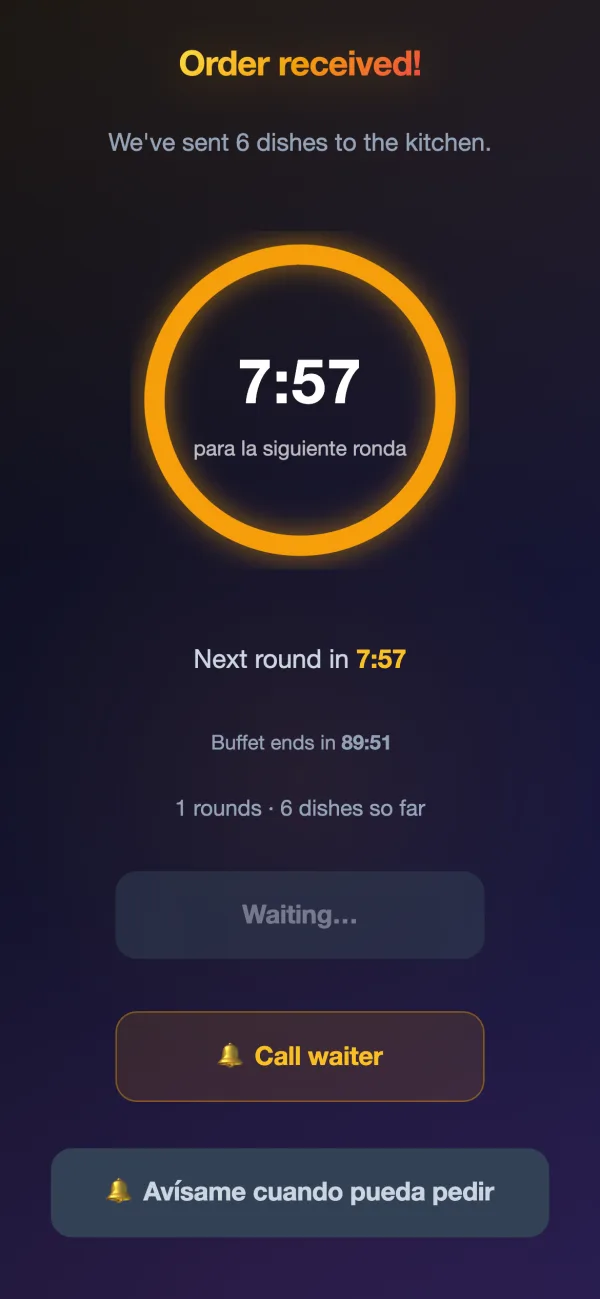
Sending a round starts the wait before the next one: 8 minutes by default, or whatever you set, counted from the moment they send it or from when the kitchen marks the round as delivered. The phone shows the countdown and, if the guest allows it, tells them when they can order again.
From the POS or the buffet panel, a waiter can skip a table's wait with one tap. And if the table needs anything, the bell button calls the waiter.
If the buffet has a time limit, the table's phone flags it in large type when 10 minutes are left, with the time remaining. Nobody has to go round the tables.
The bill is paid like any other: the cover per guest, the premium supplements and any drinks charged separately, on a single receipt that sums up the buffet.
Guests, rounds, dishes, the pricing model, the time left and the next round for each table, refreshed every 5 seconds. From there you skip a wait, correct the head count, log what came back uneaten or close the table.
A buffet round reaches the kitchen like any other order, with what the buffet adds on top: which round it is, who is ordering and what they cannot eat.
On the kitchen display every dish carries the round it belongs to (R1, R2…) and the table's note: how many they are and their allergies.
The guest ticks their allergens from the 14 and writes anything else. Dishes that contain them disappear from their menu, those that may contain traces carry a warning, and the note goes out on every kitchen ticket.
By default the kitchen ticket comes out in the language the guest ordered in. If your kitchen reads Chinese, Japanese or another language, you choose it, and each dish can have its own kitchen name.
If the wait counts from delivery, the table's countdown starts on its own when the kitchen marks the round as delivered, with nobody touching anything else.
The waiter logs dishes that come back uneaten from the POS, the panel or Mesero Comandas, with a photo if they like. Charging for them is optional, and if you do, guests know from the welcome screen.
Sessions, how many tables order a second round and how many pay, revenue per table and per day, average time per table, the 10 most-ordered dishes and the 5 most often left.
Buffets don't all work the same way, so Mesero has both. You start from a ready-made setup —standard buffet, sushi AYCE or drinks charged separately— and adjust it to your dining room.
The price per person times the guests; buffet dishes at €0. Children free or at a percentage, seniors with their own discount if you like, and drinks included or charged separately.
Each dish at its menu price, with no cover. The cap per round only paces the kitchen.
A different cover price depending on when the table starts: one for lunch, another for the evening.
It uses the same menu, the same kitchen, the same till and the same inventory. What the buffet adds are the rules: how many dishes, how long to wait, what is charged separately and what happens to what is left.
Pro costs €79/month, or €59 billed annually, and also includes QR ordering, the kitchen display, inventory and the rest of the suite. Enterprise, from €149/month, is for several venues.
For solo-operator bars and cafés: just what you need to sell, take payment and stay compliant.
For smaller restaurants that want a cleaner operation without extra complexity.
For growing restaurants that need operations and sales to run from one system.
For groups and franchises that need control, integrations and multi-location visibility.
Prices exclude VAT (21%). Compare what each plan includes →
If your question isn't here, write to us: a person from the team will reply.
Talk to usPro (€79/month, or €59 billed annually) and Enterprise (from €149/month). You can try it free for 90 days, no card needed.
As you prefer: with a fixed cover per guest, where buffet dishes are at €0, or with each dish at its own price and a cap per round. Children can eat free or pay a percentage of the cover, you can add a price for seniors and another for each time slot, and drinks can be included or charged separately. It all goes on one receipt.
You pause it for a few minutes from the buffet panel or from the kitchen display. Tables already going stay open and their countdowns keep running, but nobody sends a new round until the pause ends; guests see the reason you type.
With the cap per round, the wait between rounds and the rules for premium dishes. If you like, you can also charge for dishes that come back uneaten: guests see it on the welcome screen and the waiter logs them, with a photo if they like, from the POS or from Mesero Comandas.
Yes. On the welcome screen the guest ticks their allergens from the 14 and writes anything else. Dishes that contain them disappear from their menu, those that may contain traces carry a warning, and the table's note goes out on every kitchen ticket, on screen and on paper.
The buffet screens come in Spanish, English, Catalan, Japanese and Chinese, and guests can switch whenever they like. Dish names appear in their language if your menu is translated, and the kitchen can receive orders in the language it reads.
No. Buffet mode is for all-you-can-eat served at the table: guests order in rounds from their phone and the kitchen prepares each round. In a self-service buffet, where everyone helps themselves, there are no rounds to manage.
90 days free, no card and no lock-in. Switch the buffet on over your menu, run a trial service and tune the caps and waits with your real tables.