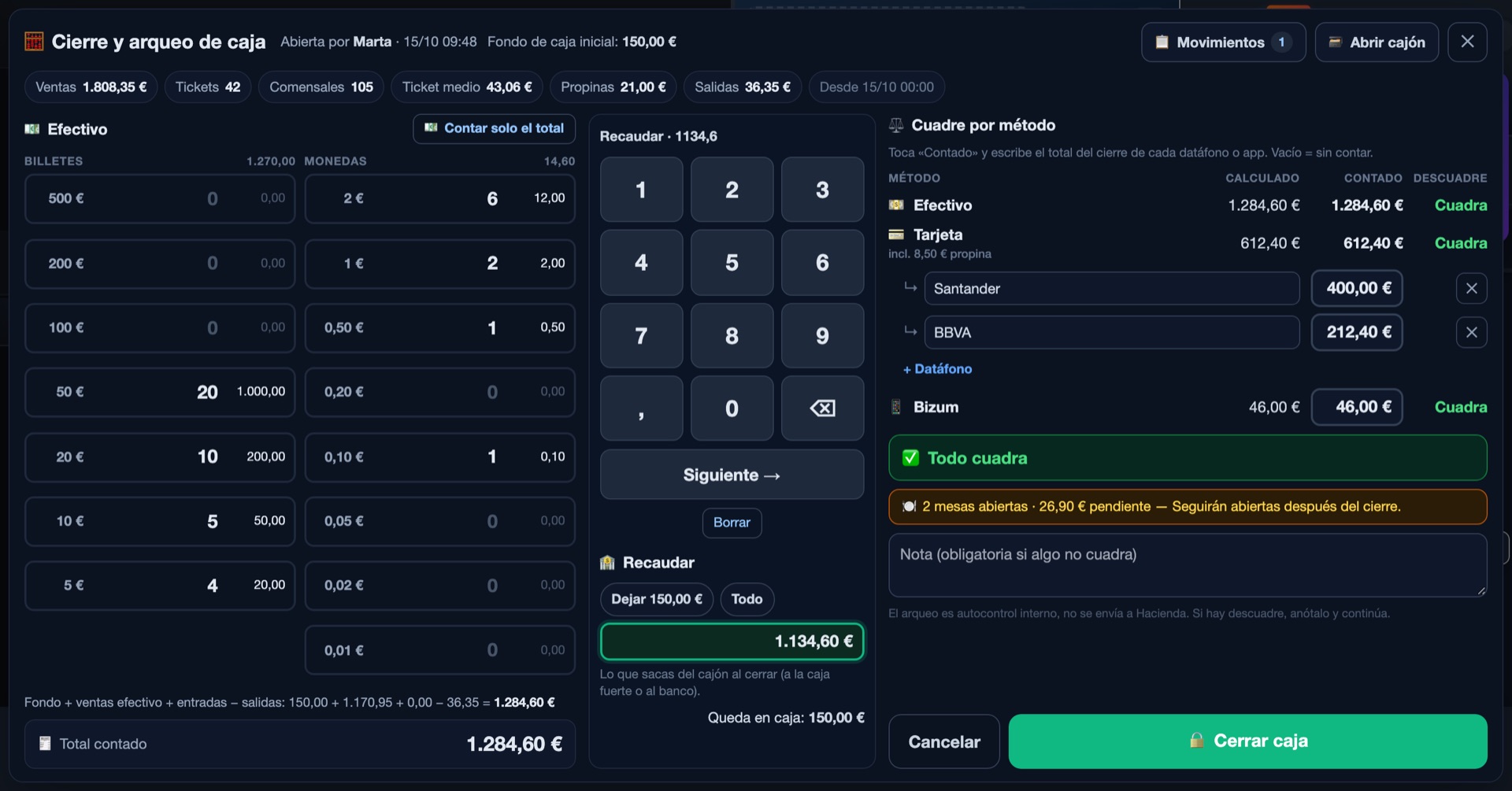
The booking, on the floor plan
A booked table shows as such on the POS's table panel, next to the free, occupied and paid ones. The floor sees the same as whoever took the booking.
Solutions · Table-service restaurants
Bookings show up on the floor plan, the kitchen gets dishes by course with allergies first, and the bill for a table of eight splits to the cent. Floor, bookings and kitchen, in step.
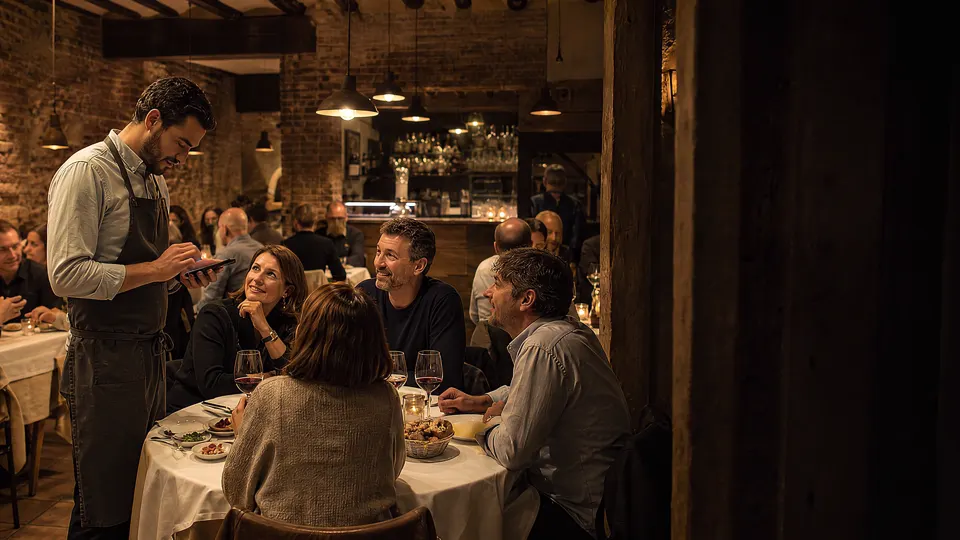
9:30 pm · Full houseThe waiter takes the order on the phone and it's already in the kitchen.
This is how a table-service restaurant's day runs on Mesero, with its real screens (Spanish interface) and example data. Scroll slowly: the clock moves with you.
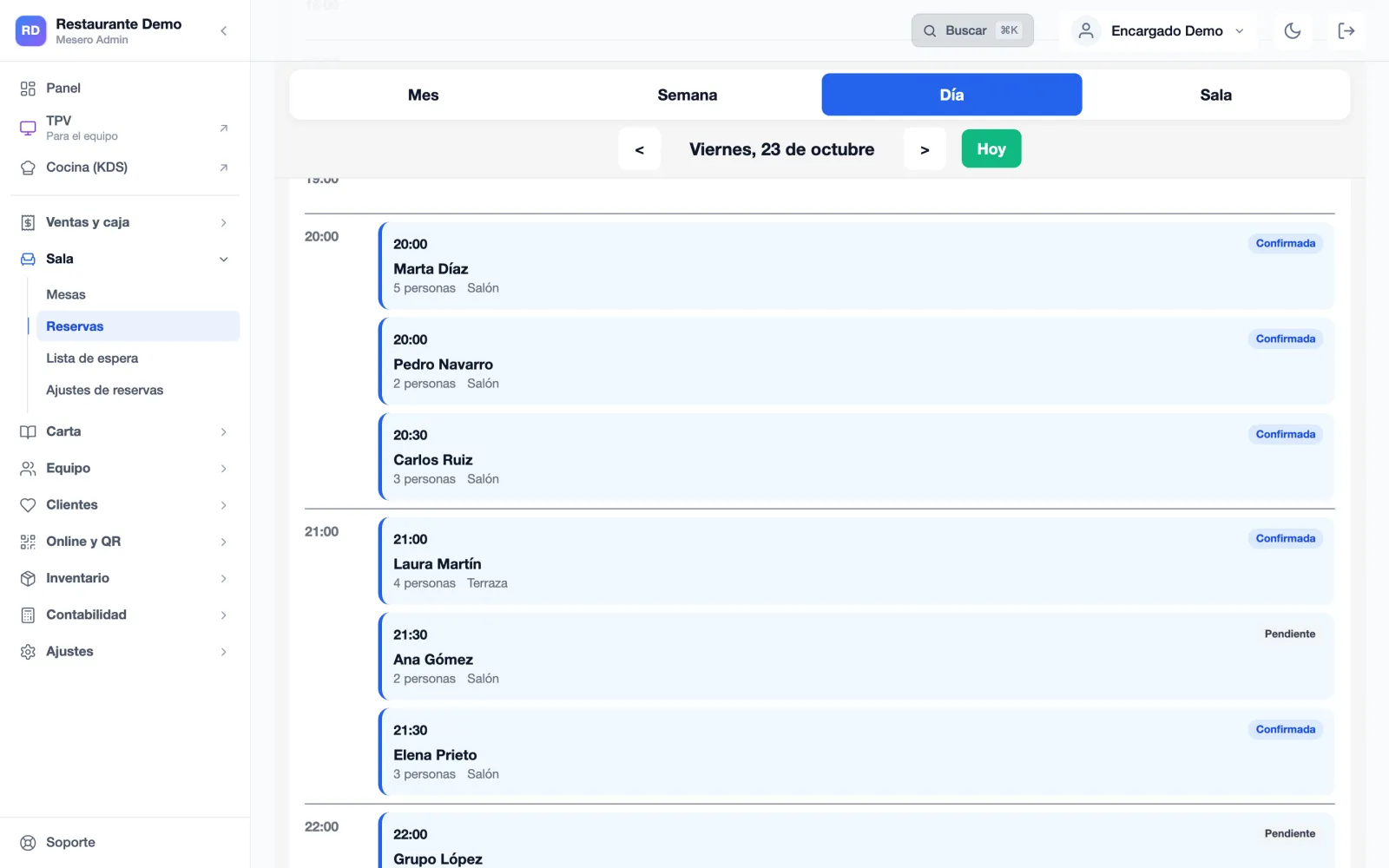
Today's bookings are in the calendar, each with its time, name, party size and status by colour. The ones made through your link or from the QR menu came in by themselves, with no phone call in the middle of the rush.
And a booked table shows as such on the POS's table panel: the waiter who opens the floor sees the same as whoever took the booking. Bookings and the waitlist are in the Pro plan.
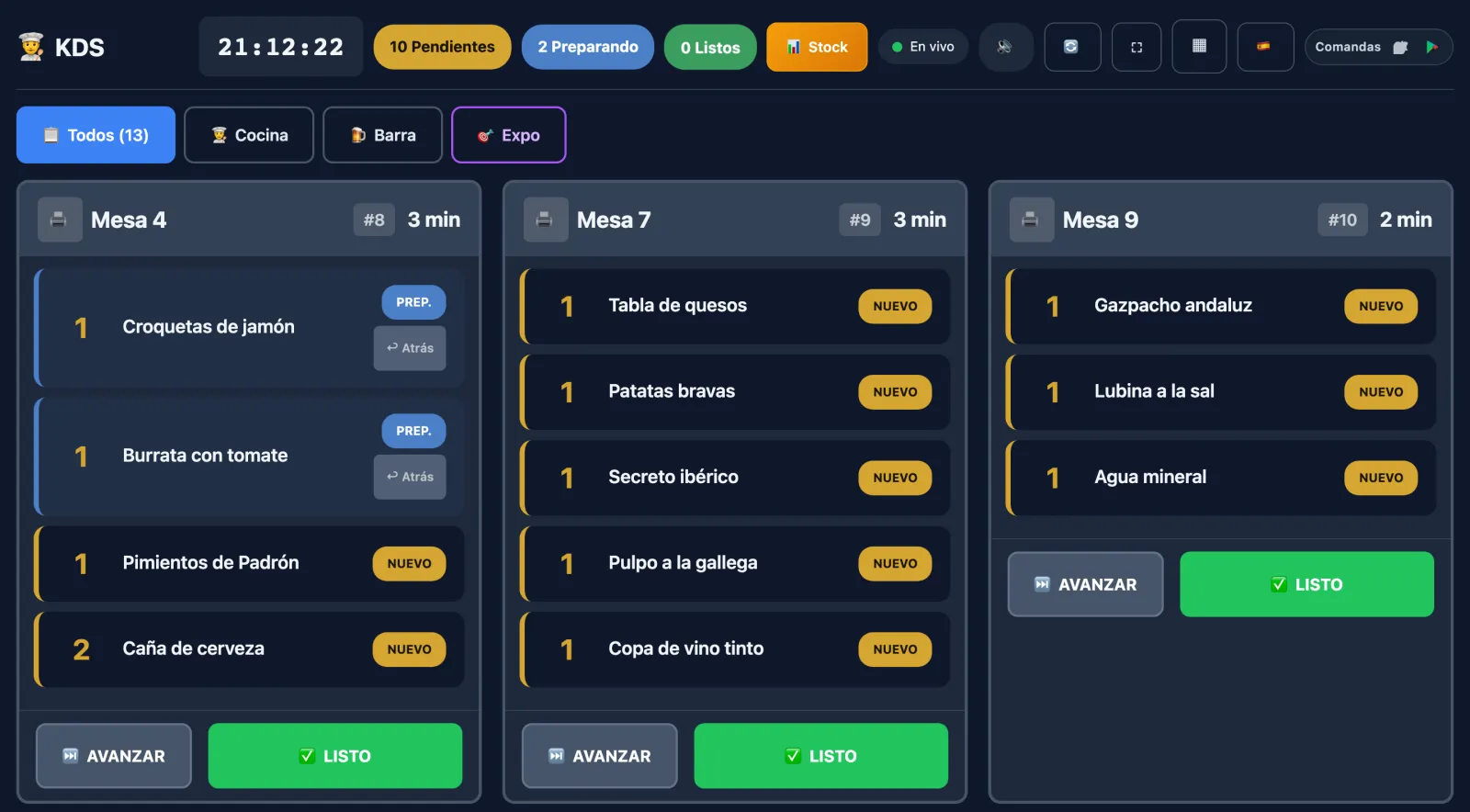
Dishes reach the kitchen display with their table, course and notes, and each one says where it stands: New, Preparing, Ready and Served. The time on each order flags the table that has waited too long.
Allergies marked on the ticket head the order on the display and print first on every kitchen ticket. One kitchen display on Starter, three on Pro.
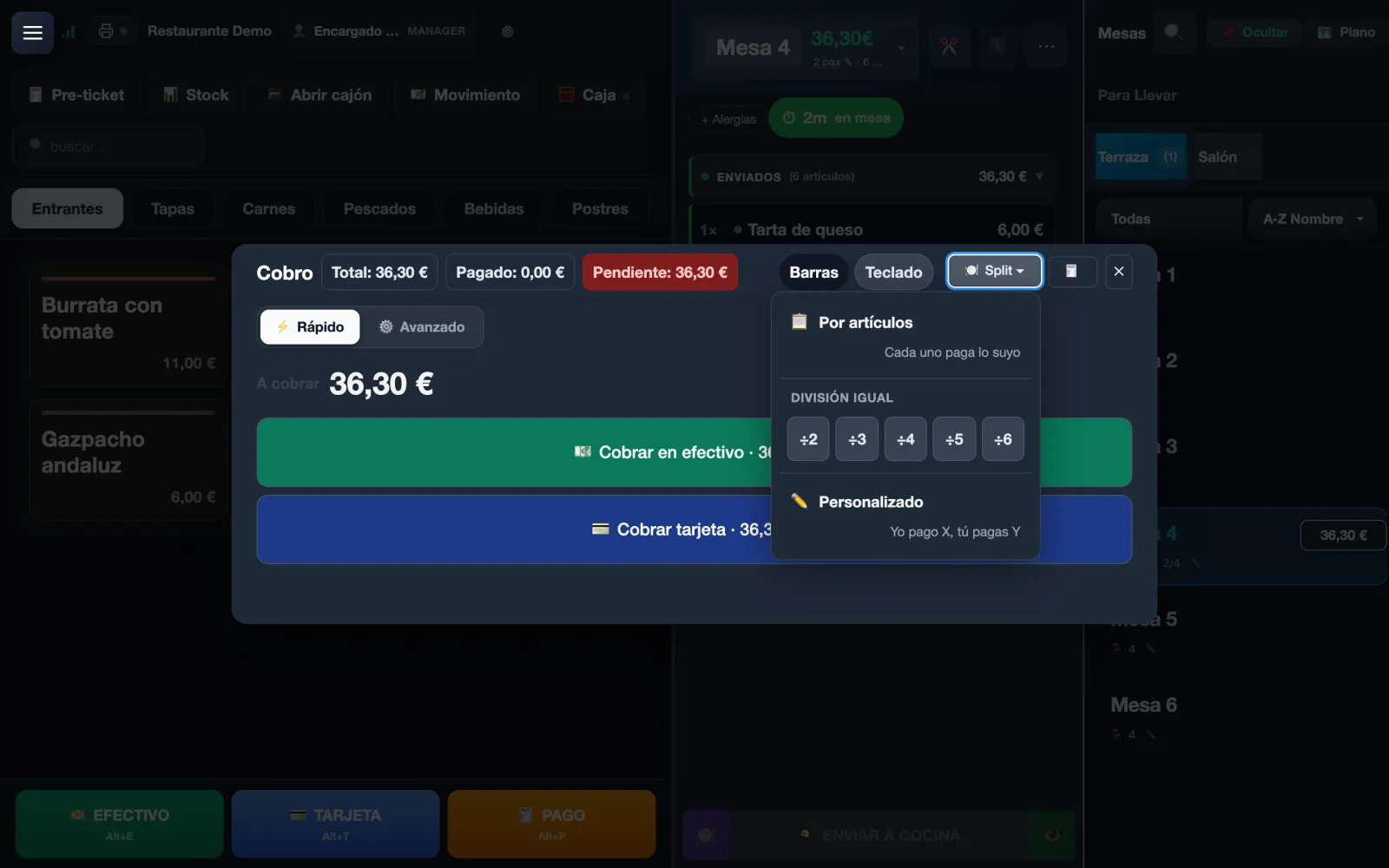
Four ways to split it, with the parts always adding up to the total: by item, in equal parts between 2 and 6, custom («I pay X, you pay Y») or by moving lines to a new ticket.
You can take one part now and leave the table open with the rest pending, without balancing anything by hand.
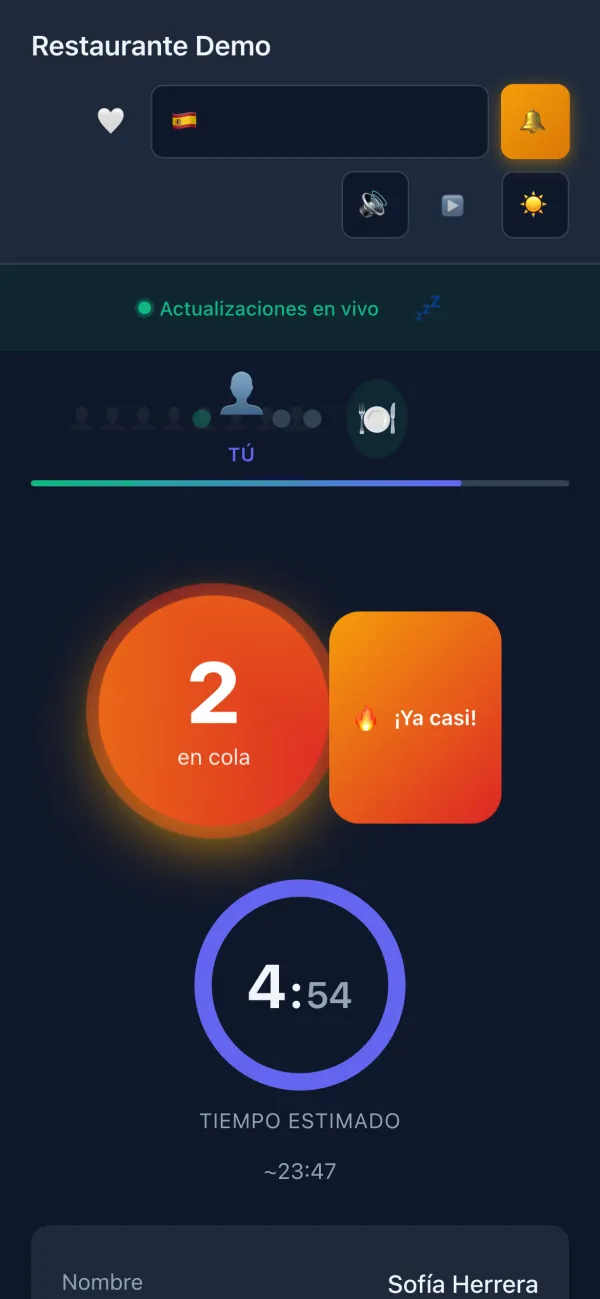
A group without a booking joins the waitlist from their phone, or you add them, and waits wherever they like: their page follows their place live and alerts them with a sound, and with a browser notification if they allow it, when their table is ready.
You decide how long you wait for a group after calling them and how many calls they get before you move on. Nobody blocks the door while a table sits empty at the back.
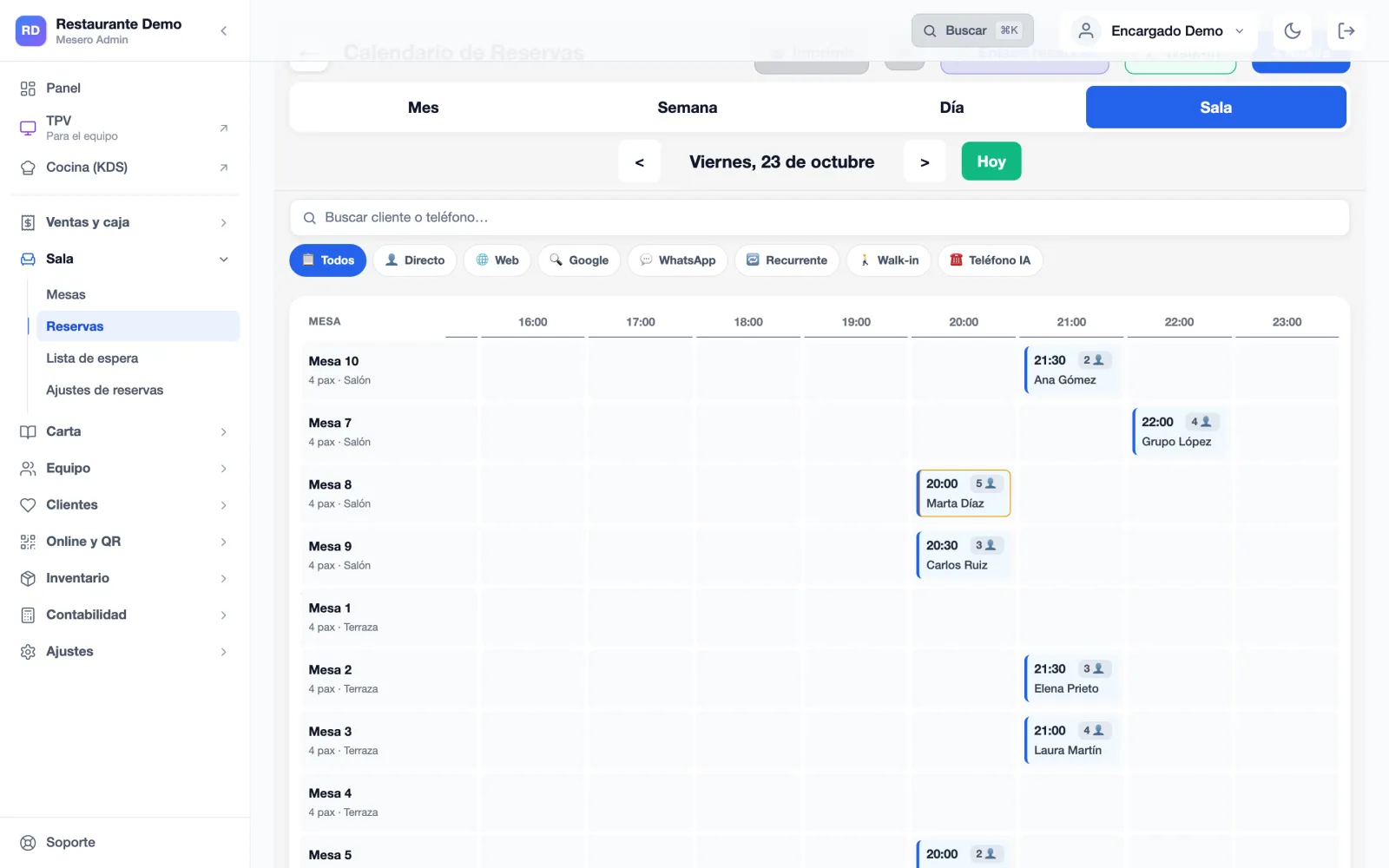
You count the cash by notes and coins and Mesero compares it with what sales, each card terminal and Bizum say: if something doesn't add up, you see which method and by how much, before you close the day.
And since every booking ended as seated, no-show or cancelled, the night's count is real, not a hunch. Cash control comes with every plan.
In a table-service restaurant, service breaks at the hand-overs: the booking that never reaches the floor, the allergy that never reaches the kitchen, the bill nobody knows how to split. This is what Mesero does there.
A booked table shows as such on the POS's table panel, next to the free, occupied and paid ones. The floor sees the same as whoever took the booking.
One tap on the ticket opens the 14 allergens. From there they print first on every kitchen ticket, reprints included, and head the order on the kitchen display.
The kitchen display keeps the real sequence of service instead of firing everything at once, and each station sees only its own: grill, fryer or cold.
Moving and joining tables, discounts, courtesies and voids are in the POS itself, with permissions by role so not just anyone can void a line already sent to the kitchen.
With the CRM on the Pro plan, you link the guest to their ticket and the waiter sees their visits, birthday, usual dishes and VIP tier. No spending figures.
Bookings come in through your link and the QR menu with no charge per cover or per booking received, and the guest stays in your CRM, not on someone else's platform.
The same POS for all of them. What changes is how many people use it at once, how many screens the kitchen has and what switches on around it.
One dining room and one kitchen: 5 users, 1 kitchen display, basic inventory, staff clock-in and QR ordering. No bookings.
Bookings and the waitlist, the CRM, 3 terminals, 15 users and 3 kitchen displays, plus the customer club and online ordering.
Several venues with a central dashboard, unlimited terminals and users and an audit log.
Not six programs stitched together: one database. A booked table shows as reserved on the POS, the order from the waiter's phone reaches the same kitchen and a returning guest has their file above the bill.
Starter, at €39/month, covers the floor and one kitchen display with 5 users. Bookings, the waitlist and the CRM are on Pro, at €79/month, with 3 terminals, 15 users and 3 kitchen displays.
For solo-operator bars and cafés: just what you need to sell, take payment and stay compliant.
For smaller restaurants that want a cleaner operation without extra complexity.
For growing restaurants that need operations and sales to run from one system.
For groups and franchises that need control, integrations and multi-location visibility.
Prices exclude VAT (21%). Compare what each plan includes →
If your question isn't here, write to us: a person from the team will reply.
Talk to usNo: they are on Pro, at €79/month, and on Enterprise. Barra and Starter don't include them. During the 90-day trial you have full access, so you can try them with your real service times before you decide.
No. Bookings are included in the Pro plan with no charge per cover or per booking received, unlike booking platforms that charge per seated guest. Guest data stays in your own CRM.
Yes. A table with a booking assigned shows that status on the POS's table panel, next to the free, occupied and paid ones, so whoever is on the floor sees the same as whoever runs the calendar.
They are marked on the ticket from the POS: one tap opens the 14 allergens, or you type your own. From then on they print first on every kitchen ticket, reprints included, and head the order on the kitchen display. With the CRM on the Pro plan, the allergies in a guest's file move to the ticket by themselves when you link them.
Yes, in four ways, with the parts always adding up to the total: by item, in equal parts between 2 and 6 people, custom («I pay X, you pay Y») or by moving lines to a new ticket. You can take one part now and leave the table open with the rest pending.
Every booking has a status throughout its life: pending, confirmed, seated, no-show or cancelled. You mark who has sat down and who hasn't turned up during service, and at close you have the real count instead of a hunch.
Starter costs €39/month, Pro €79/month and Enterprise from €149/month; Barra, at €19/month, is for a single person behind the bar. You can try it free for 90 days, no card needed, and there is no lock-in: change plan or cancel whenever you like.
90 days free, no card and no lock-in, with full access. Set up your menu and your service times, switch on the booking form and count on Monday how many tables were lost.