The meal deal and the drink, every time
At rush hour nobody asks “make it a meal?”. The kiosk does, with the price difference on screen, and offers a drink or dessert before sending if the order has neither.
Solutions · Fast casual and takeaway
The counter takes payment in one tap, the kiosk takes orders without a queue, each kitchen station sees only its own dishes and guests follow their number on the pickup screen. With a kitchen display from €39/month; the kiosk is in the Pro plan.
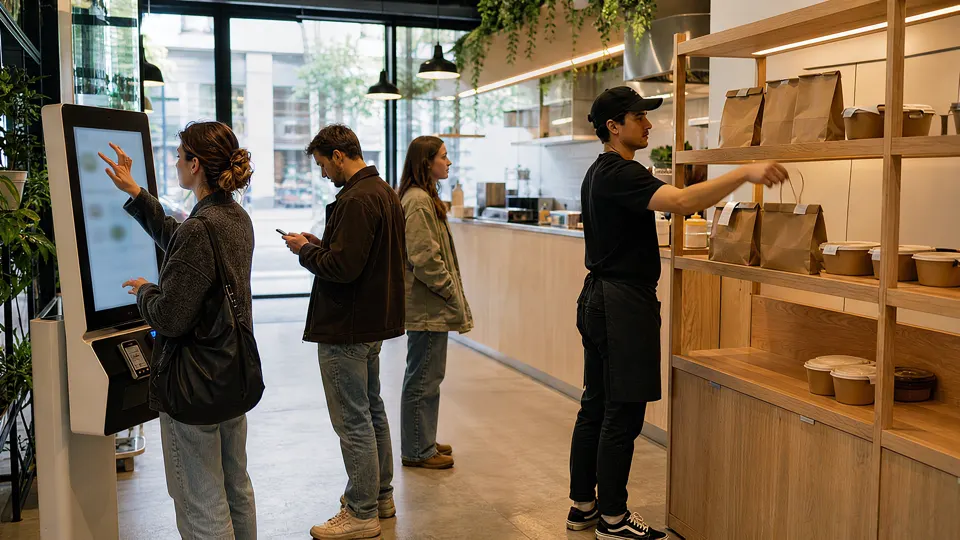
2:00 pm · LunchtimeOrdered at the kiosk, the bag waits on the shelf and the guest leaves without queueing.
This is how a day in a fast casual venue runs on Mesero, with its real screens (Spanish interface) and example data. Scroll slowly: the clock moves with you.
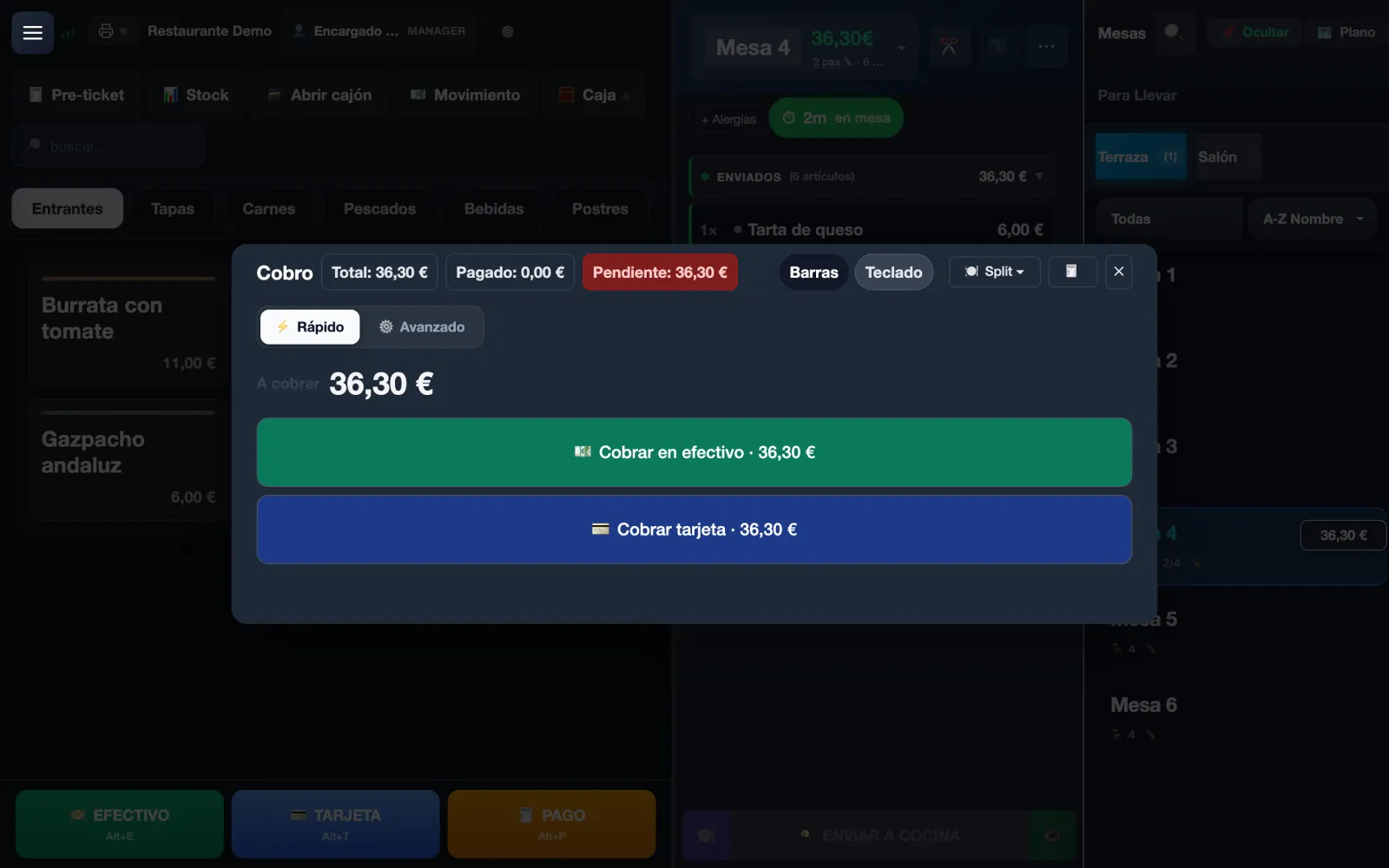
No tables to open: Takeaway creates a ticket identified by a number, your best sellers sit under Recent and Quick payment takes one tap, in cash or by card.
Modifiers stay attached to their line, so “no onion” or “gluten-free bun” reaches the kitchen and the receipt exactly as typed.
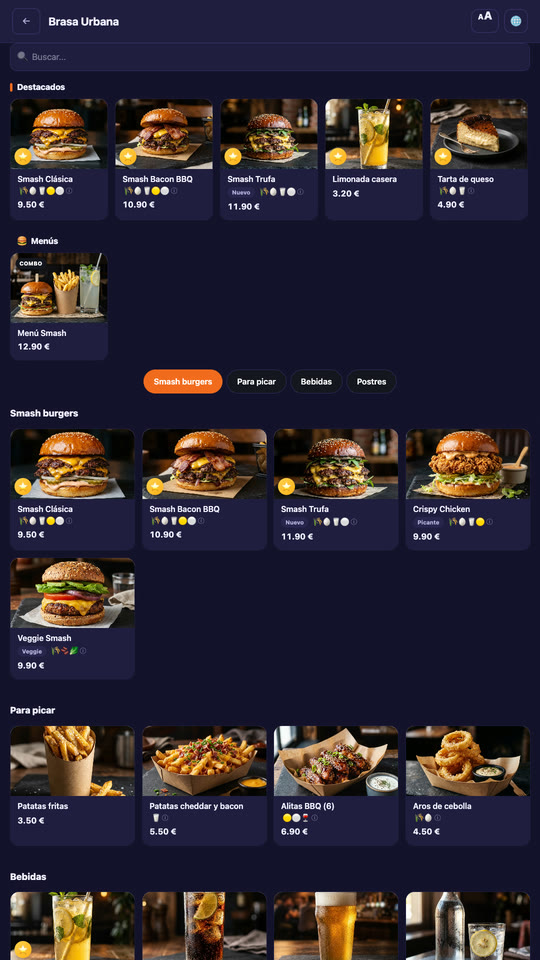
At the self-service kiosk guests choose from your menu, with photos and allergens, and pay on the screen or on their phone. Required choices can't be skipped, and the kiosk asks “Make it a meal?” and offers a drink, once per order.
It runs on any touchscreen, with no per-kiosk fee, on the Pro and Enterprise plans. A card payment through Mesero carries only Stripe's fee; if you'd rather guests pay at the counter on your own card terminal, turn off required payment.
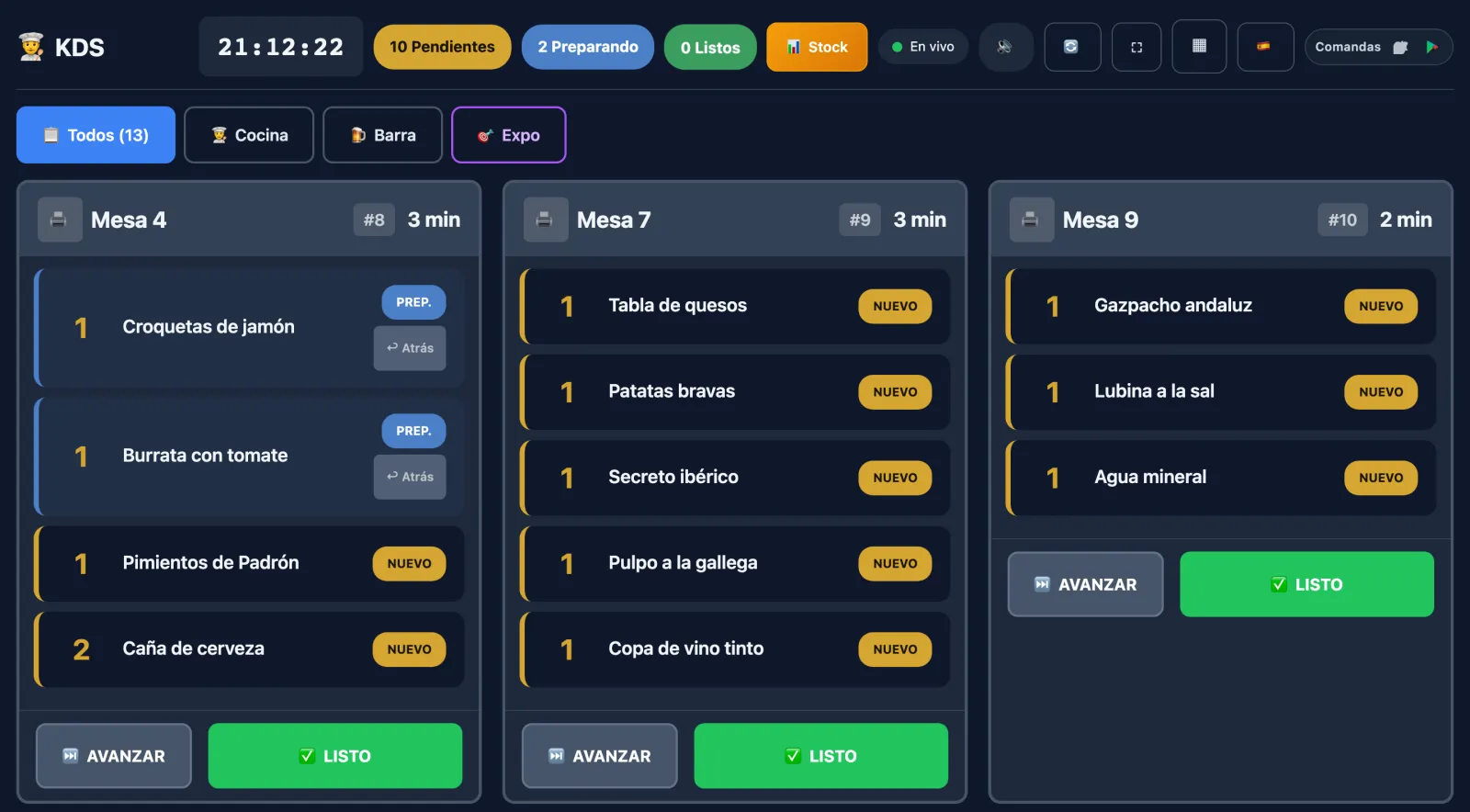
Counter, kiosk and online orders all land on the same kitchen display. Each menu category goes to its zone and, within it, to its station: the grill sees the burgers, the fryer the chips, and nobody reads the whole ticket looking for their dish.
The kitchen display is included from the Starter plan, with no per-screen licence.
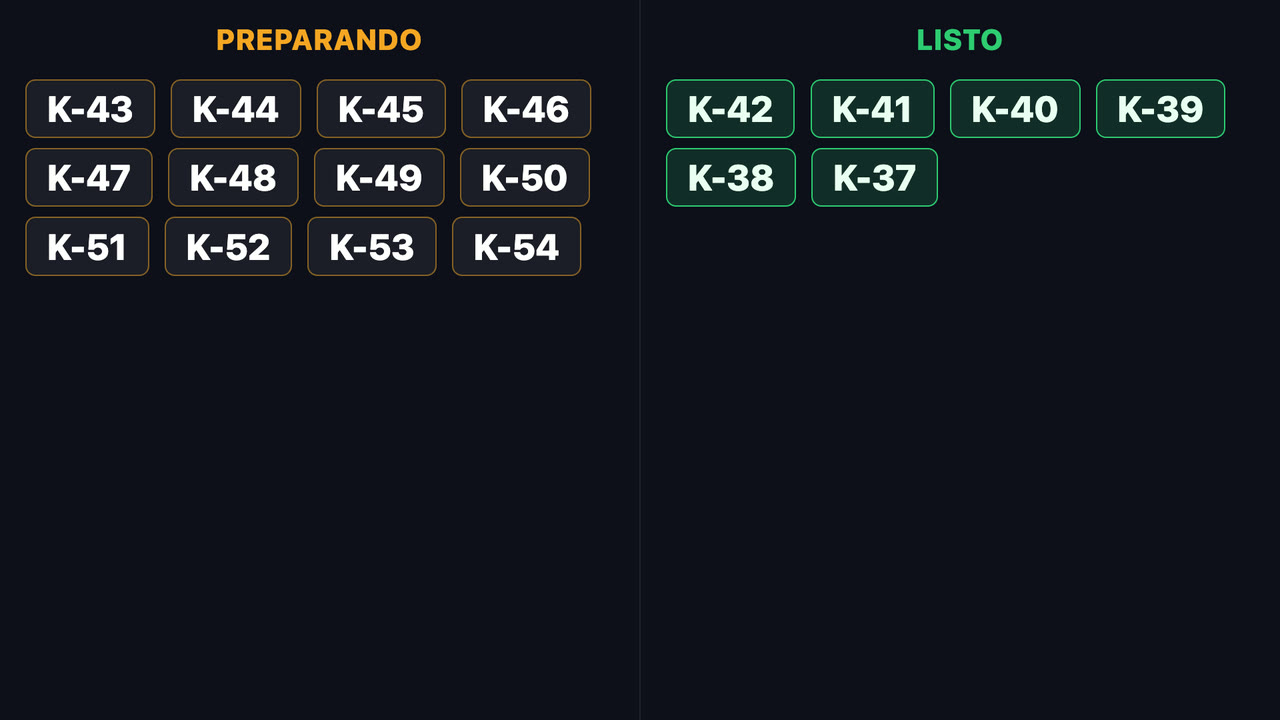
When the kitchen marks an order ready, its number moves from “being prepared” to “ready” on the pickup screen, on any TV with a browser. Kiosk orders and the POS's counter and takeaway orders show there, by number only: no names, no amounts.
The pickup screen comes with the kiosk, on Pro and Enterprise.
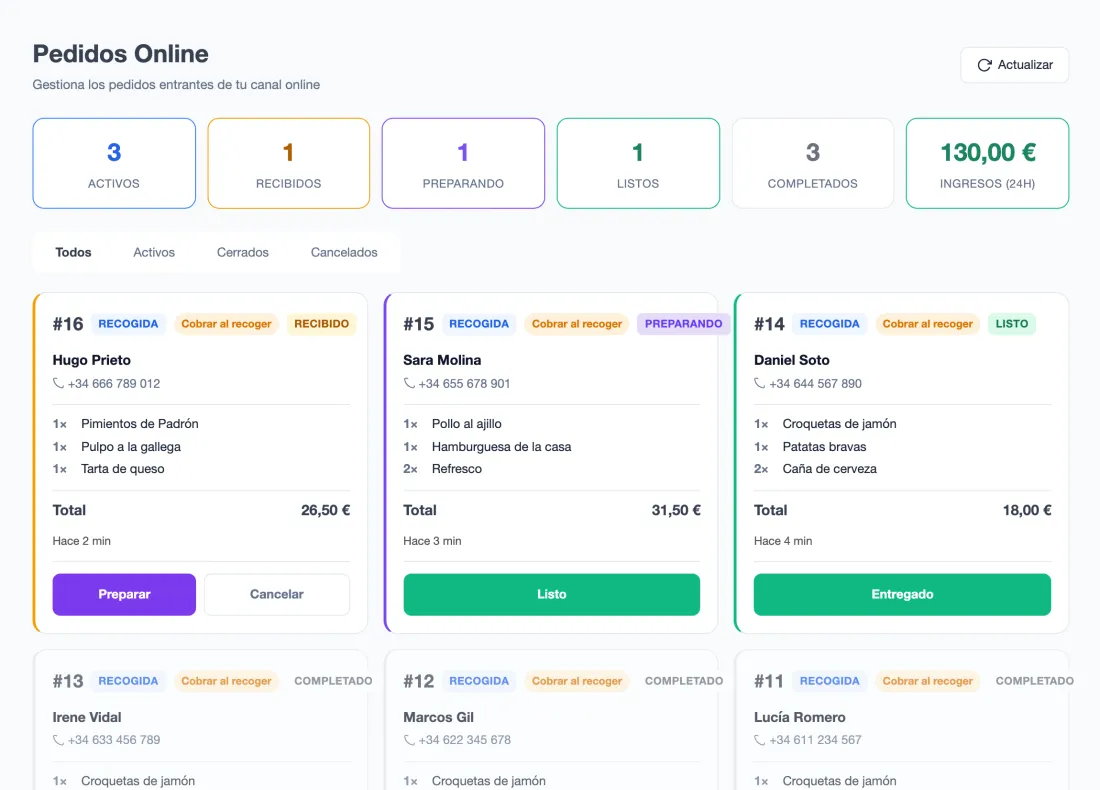
With online ordering on the Pro plan, guests order from their phone for pickup or delivery, with a realistic estimated time. The order appears in the panel and in the kitchen like any other, and you move it along until it's handed over.
No commission on the order. A card payment through Mesero carries only Stripe's fee; guests can also pay on pickup, in cash or on your card terminal.
In fast food the hard part isn't selling: it's absorbing rush hour without the order, the grill and the pickup getting in each other's way. This is what Mesero does about it.
At rush hour nobody asks “make it a meal?”. The kiosk does, with the price difference on screen, and offers a drink or dessert before sending if the order has neither.
At the kiosk, how the burger is cooked or the sauce that must be chosen can't be skipped, and extras adjust the price on their own. The kitchen gets the whole dish.
Zones such as Kitchen, Bar or Counter, and stations inside each zone. Put one screen at the grill and another at the fryer: each shows only its own dishes. From Starter.
If the kitchen is overwhelmed, you pause the kiosk in a moment and it says so instead of taking more. For online orders you set the preparation time and the hours you accept them.
Mark a dish as sold out in the POS and it can no longer be ordered at the kiosk. If it sells out while someone is ordering, the kiosk tells them and lets them send the rest.
On the Pro plan, the reports show sales by hour and by channel (POS, kiosk, online, QR), so you know when your peak really is and how much comes in through each door.
The same POS for everyone. What changes is how many people use it at once and what switches on around it.
A counter with numbered tickets, 5 users, the kitchen display, inventory and staff clock-in.
The kiosk and the pickup screen, pickup and delivery orders, promotions and hourly reports, with up to 3 terminals and 15 users.
Everything in Pro across several venues, with central visibility, unlimited terminals and users, and a guided rollout.
Not three systems with three different alerts: one database. Whatever comes in at the counter, at the kiosk or online lands in the same kitchen, on the same pickup screen and in the same till.
Starter, at €39/month, has the counter, the kitchen display and 5 users. Pro, at €79/month, adds the kiosk with its pickup screen, pickup and delivery orders, and reports by hour and by channel.
For solo-operator bars and cafés: just what you need to sell, take payment and stay compliant.
For smaller restaurants that want a cleaner operation without extra complexity.
For growing restaurants that need operations and sales to run from one system.
For groups and franchises that need control, integrations and multi-location visibility.
Prices exclude VAT (21%). Compare what each plan includes →
If your question is not here, write to us: a person from the team replies.
Talk to usYes. The kiosk uses the same menu as the POS, so kiosk and counter orders go to the same kitchen, the same pickup screen and the same till. The kiosk is on the Pro and Enterprise plans; the counter, on every plan.
No. The Mesero kiosk is a full-screen web page: it runs on a Windows floor kiosk, an Android tablet or an iPad, with the browser in kiosk mode. You can add one or several, with no per-kiosk fee.
With Stripe: by card on the screen or on the guest's phone, by scanning a QR code. A card payment through Mesero carries only Stripe's fee. If you'd rather guests pay at the counter on your own card terminal, turn off required payment and they pay with their number.
From the pickup screen, on any TV with a browser: the numbers being prepared on one side and the ready ones on the other, with no names. When the kitchen marks an order ready, its number moves across. It shows kiosk orders and the POS's counter and takeaway orders, and it comes with the kiosk, on Pro and Enterprise.
Yes. Each menu category goes to a zone (Kitchen, Bar, Counter) and within a zone you can refine with stations, so each screen shows only its own dishes. The kitchen display is included from the Starter plan, with no per-screen licence.
Yes, with online ordering on the Pro plan: pickup, delivery or both, from the same menu. There is no commission on the order; a card payment through Mesero carries only Stripe's fee, and guests can also pay on pickup, in cash or on your card terminal.
Starter costs €39/month, with a kitchen display; Pro, €79/month, with the kiosk, the pickup screen and online ordering; and Enterprise, from €149/month, for several venues. You can try it free for 90 days, with no card, and there is no lock-in.
90 days free, no card and no lock-in. Set up your menu, put the kiosk on a screen you already have and decide with data from your own venue.