The kitchen starts sooner
The order leaves for the kitchen the moment the waiter taps “Send to kitchen” at the table, without passing through the bar. Dishes get started sooner, at the busiest times too.
Mesero Comandas · iPhone and Android
The native iPhone and Android app your team carries in their pocket: they take the order at the table, send it to the kitchen at once and split the bill without going back to the bar.
A waiter who walks back to the bar to key the order into the POS loses time four times over: the guest’s wait, the walk, keying it in again and the risk of a mistake. With Mesero Comandas, all four go.
The order leaves for the kitchen the moment the waiter taps “Send to kitchen” at the table, without passing through the bar. Dishes get started sooner, at the busiest times too.
What the waiter taps in is exactly what prints in the kitchen: no doubtful handwriting, no “I think it was without onion”.
Each waiter has the app in their pocket for the whole service. The bar is for serving drinks, not for keying in orders.
Four steps cover almost the whole service. The rest (refunds, voids, table moves, special modifiers) is a tap away.
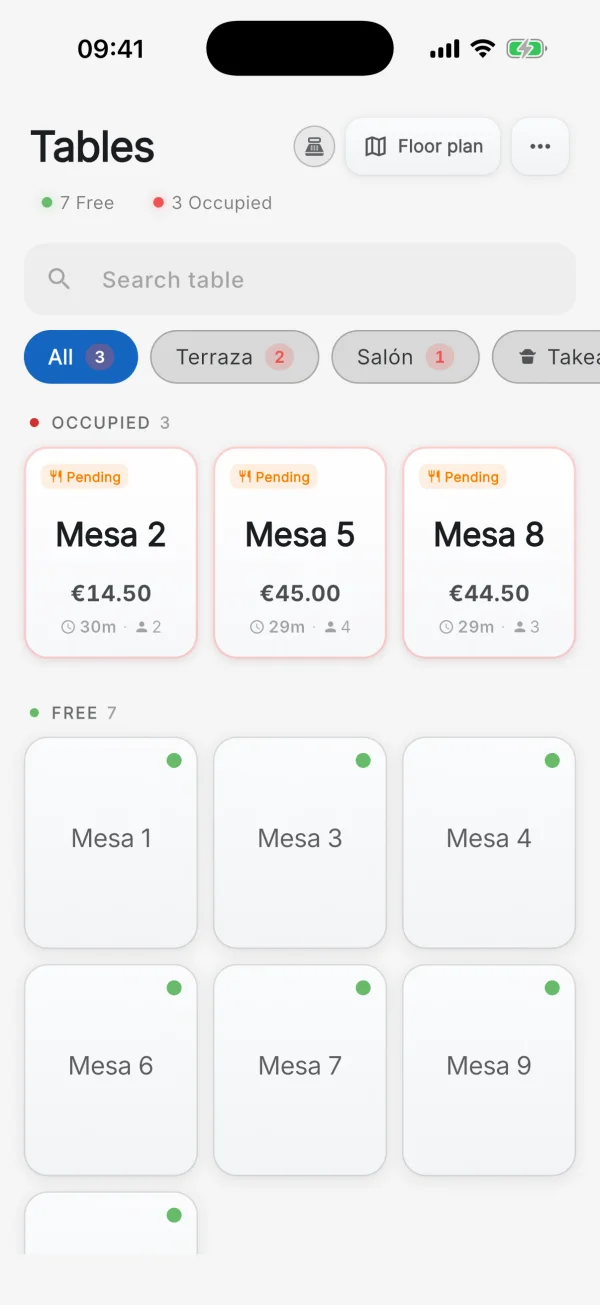
You pick the table from the list or the floor plan, by area, with the occupied ones first. If it already has a bill open, you see the current order and what is still pending.
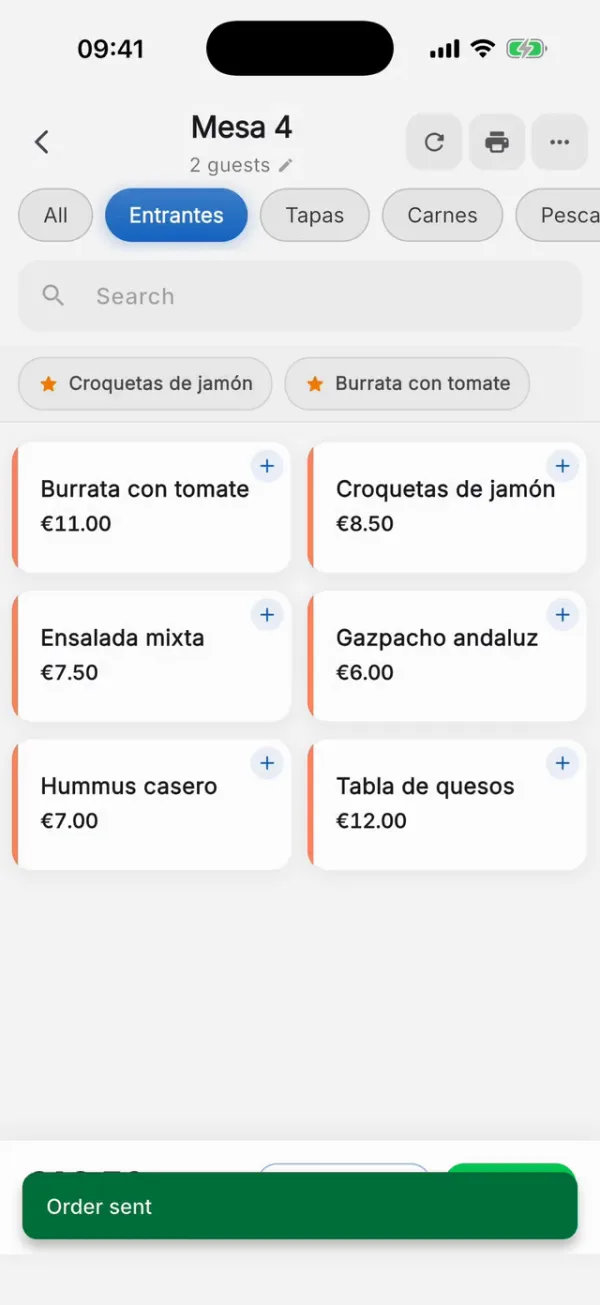
Search by name or by category, with the most-ordered dishes at hand. Modifiers (“no onion”, “extra spicy”), free-text notes, quantities and line discounts.
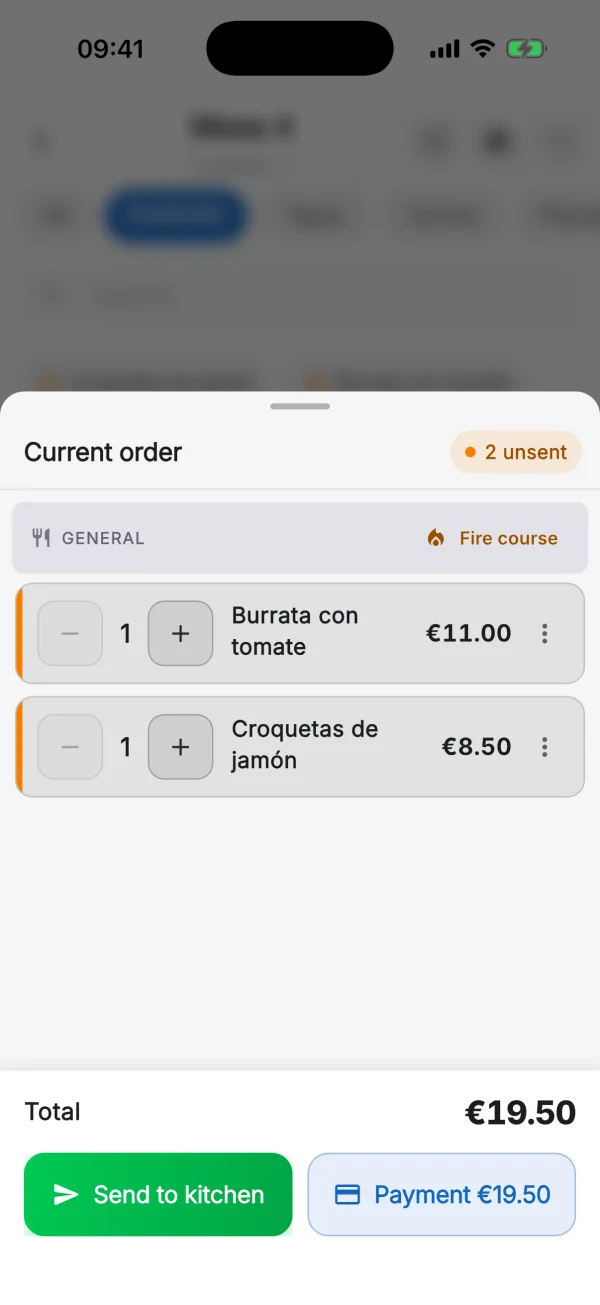
Tap Send to kitchen and whatever is pending goes to the kitchen display and to each area’s printer: kitchen, bar or desserts. The app confirms it at once: “Order sent”.
Split the bill per person, by item or by any amount, and take payment in cash, by card or by online methods. The receipt is issued under VeriFactu when you charge.
Some POS systems make you use an iPad, others only have an Android version and others only run on Windows. Mesero Comandas is native on the App Store and Google Play: your team uses the phone they already have in their pocket.
| Platform | Mesero Comandas | Revo XEF | Ágora | Glop |
|---|---|---|---|---|
| iPhone (iOS) | Native | Native on iPad | No | No |
| Android | Native | No | Android handheld | Handheld |
| iPad | Compatible | Main platform | No | No |
| Android tablet | Compatible | No | Compatible | Compatible |
| Offline mode | Yes, local queue | Limited | Limited | Limited |
| Cost per device | No extra licence | Depends on plan | Depends on plan | Depends on module |
Based on each vendor’s public information. More detail in our POS comparison (in Spanish).
The terrace by the stone wall, the basement dining room, the back of the bar the router never reaches: every venue has a dead spot. Mesero Comandas covers it with a queue on the phone itself.
It is not a separate module or an add-on: when you sign up for Mesero, the mobile apps come with the plan. Comandas and Admin on every plan; Mesero Fichar, the clock-in app, from Starter.
Handy as a second screen for an owner who takes orders on the terrace.
Every waiter on the shift, with their own account and the app on their phone.
The whole team on rotating shifts, without waiters getting in each other’s way.
For groups, events or several venues with shared staff.
It is the same database as the POS, the kitchen display and QR ordering: an order taken on the phone appears at once in the kitchen and on the table’s bill. No exports and no second menu to keep up to date.
If you came looking for a waiter app for your POS, these are the questions people usually want answered before deciding.
Talk to usIt is what the waiter uses to take the order at the table and send it to the kitchen and the bar without going back to the counter. For years it was a dedicated handheld you had to buy separately; today it is an app on the phone the waiter already carries. Mesero Comandas is exactly that: your POS's ordering handheld, with no special hardware.
No. The app works on any recent iPhone or Android phone, including the waiter's own phone if you prefer. If you already have handhelds or tablets, they work too: you install the same app. There is no required model and no proprietary handheld to replace when one breaks.
Built in. It is the same database as the POS, the kitchen display and QR ordering: an order taken on the phone appears at once in the kitchen and on the table's bill. There are no exports, no second menu to keep up to date and no separate POS for the floor and another for the bar.
It depends on the plan: 1 user on Barra, 5 on Starter, 15 on Pro and unlimited on Enterprise. Each waiter signs in with their own PIN, and there is no charge per extra device.
Start the 90-day trial, download the app from the App Store or Google Play, and your team takes orders on their phones with your real menu the same day.