The amount isn't typed
Mesero Comandas sends it from the table's bill: what the guest pays is what the receipt says, and the till matches the card payments.
Card terminal built into Mesero · any bank
Mesero Comandas sends the bill to the card terminal. The guest pays by card, by phone or with their PIN, and the table closes itself when the payment is approved.
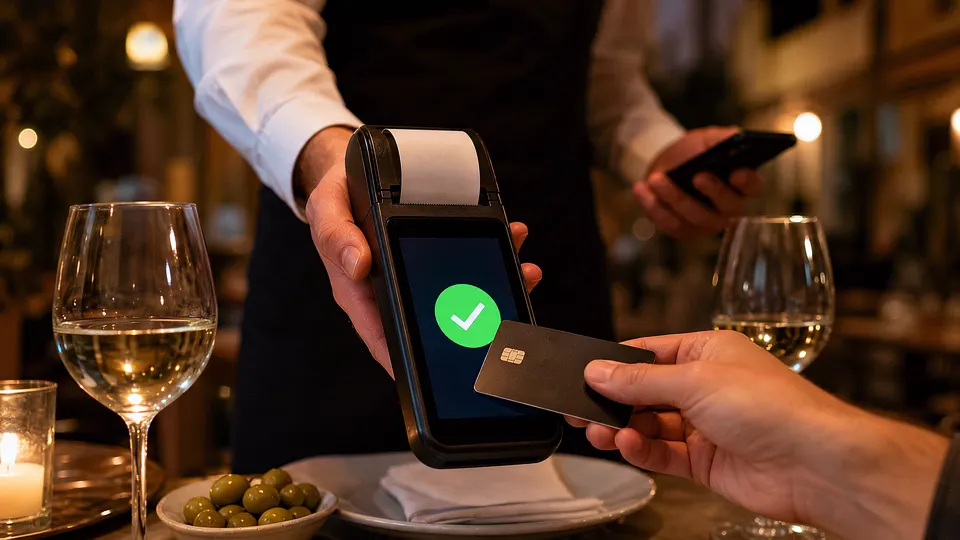 Illustrative scene, AI-generated
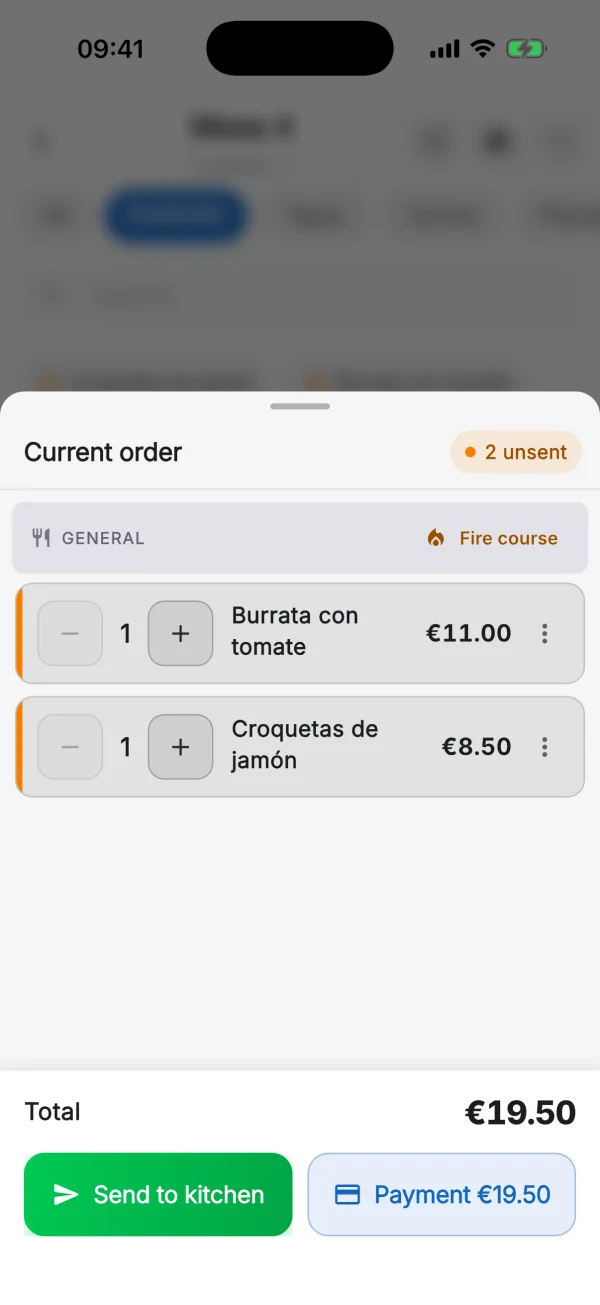
The waiter doesn't go back to the bar or type anything on the terminal: the amount comes from the bill and the payment goes back to it. With example data:
When the terminal works on its own, the waiter copies the total by hand and the till is off by a digit. Connected to the order, the amount is the bill's.
Mesero Comandas sends it from the table's bill: what the guest pays is what the receipt says, and the till matches the card payments.
The table closes itself when the terminal approves the payment. If you like, the terminal prints the venue's copy and asks the guest whether they want theirs.
The payment can be cancelled from the phone, and every message says whether anything was charged: «Card declined. Nothing was charged». Card refunds go back through the same terminal.
A Comercia Global Payments DX8000 terminal with the IP connection switched on, a merchant agreement with Comercia, and Mesero Comandas on iPhone or Android. Your bank can be any bank: you don't need to bank with CaixaBank.
Ask your Comercia account manager to activate the terminal in production for your business.
Write to us and we connect the terminal to your Mesero account. No charge.
In Mesero Comandas, Settings → Card terminal → «Find card terminal»: it finds it on the venue's WiFi.
Today the integrated terminal works in Mesero Comandas. This is what's coming, with no date yet:
Coming soon
The same payment from the web POS, on the computer or the tablet at the bar.
Coming soon
The waiter's iPhone as the terminal: the guest holds up their card or phone. See how it will work →
If your question isn't here, write to us: a person from the team answers.
Talk to usA Comercia Global Payments DX8000 terminal with the IP connection switched on, and a merchant agreement with Comercia, whatever your bank: you don't need to bank with CaixaBank. A terminal that isn't Comercia's can't be connected yet: with it you take payment as usual and mark the card payment in Mesero.
In three steps: your Comercia account manager activates the terminal for your business; you write to us and we switch it on in your Mesero account; and in Mesero Comandas, under Settings → Card terminal, you tap «Find card terminal». The phone and the terminal must be on the same venue WiFi.
The integration is included in every plan and Mesero charges nothing per payment. Card fees are those of your agreement with Comercia.
On the terminal, as always: by card, by phone or with their PIN. The waiter doesn't type the amount, because Mesero Comandas sends it, and the table closes itself when the payment is approved.
The waiter cancels the payment from the phone. If something fails, Mesero Comandas says clearly whether anything was charged (for example, «Card declined. Nothing was charged»), so a table is never charged twice.
Today it works in Mesero Comandas, the waiter app for iPhone and Android. Taking payment on the terminal from the web POS is in preparation.
Try Mesero free for 90 days, no card needed, and write to us when you have the terminal: we switch it on in your account and you pair it on the phone.