Your address, free
Your website is published at your mesero.site address, with its security certificate. If you already have a domain, you connect it.
My website · Free restaurant website
Mesero builds your restaurant's website from your menu, your opening hours and your directions, and suggests the copy, written by AI from your own details. Change a dish or a price on your menu and the site updates itself. Free, on every plan.
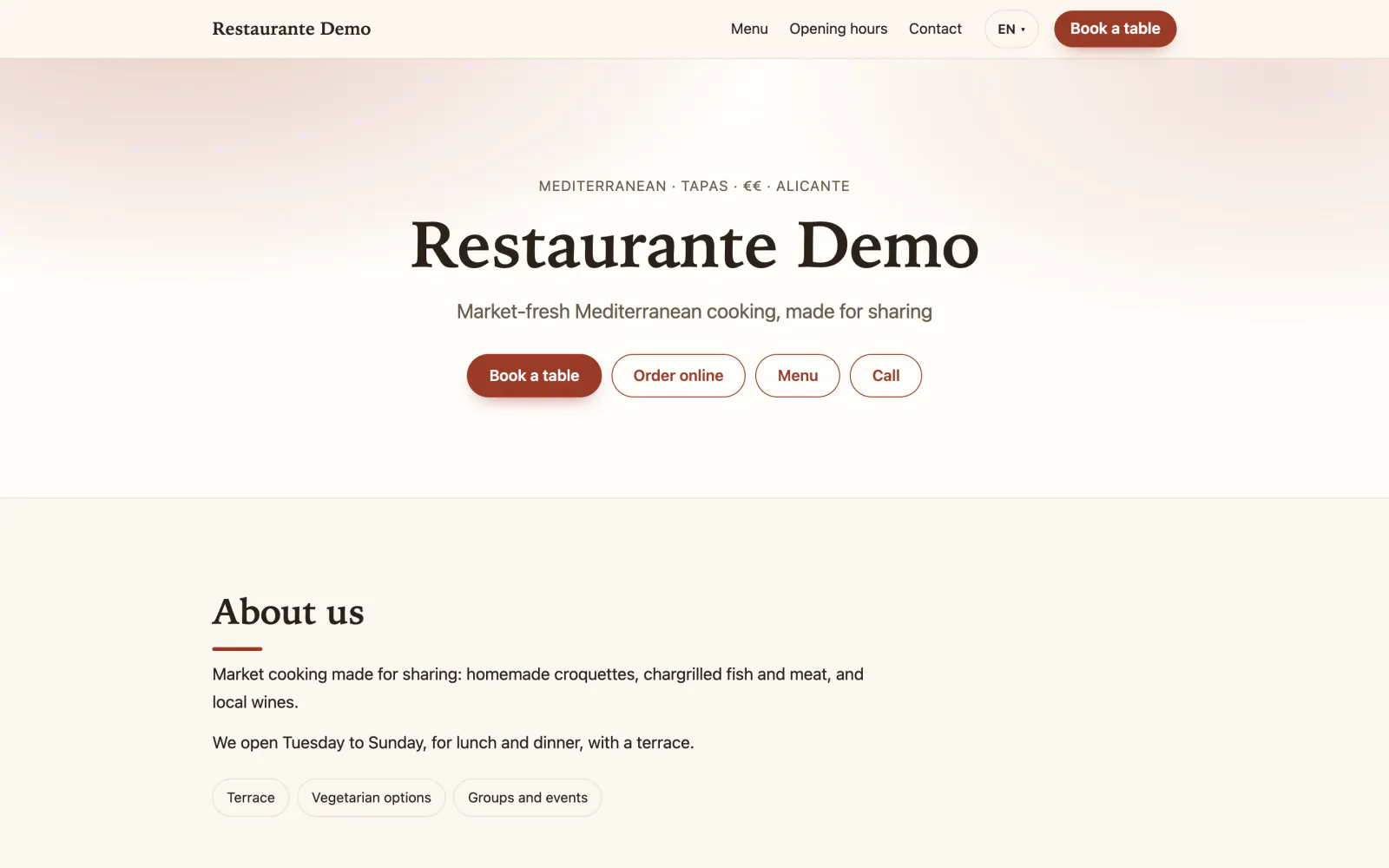
It is all done in the dashboard, under Online & QR → My website: a draft you review, a design, the buttons you handle and one button to publish. No web skills needed.
If your menu has at least five dishes, Mesero gets a website ready for you with your menu, your details and copy written for your restaurant. Nothing is published without you.
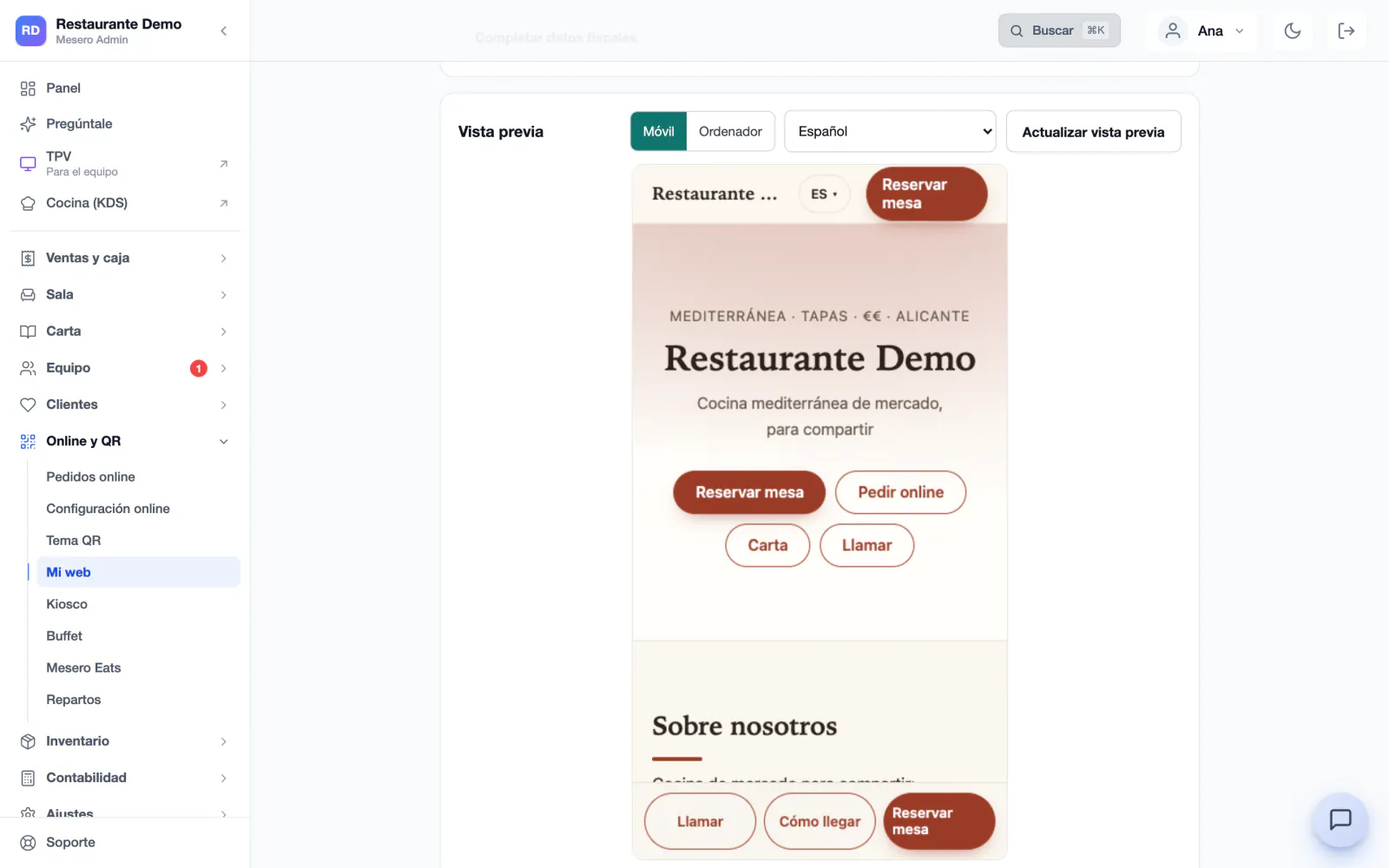
«Write with AI» suggests the tagline, the «About us» and the description for Google, using only your details and your menu. Change them as you like and see the result in the preview, on a phone or a computer.
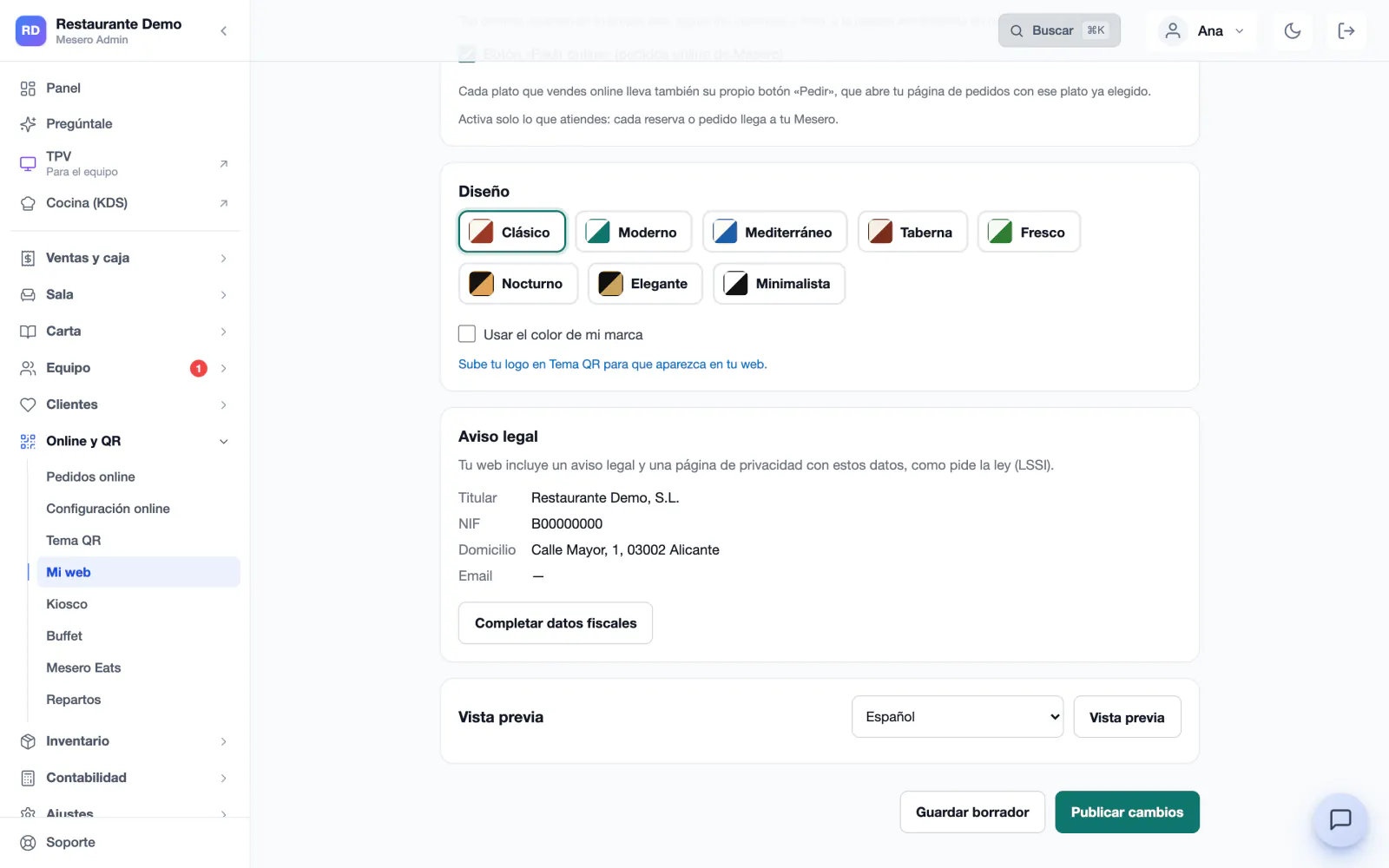
Eight designs, each with its own typefaces and colours, and your brand colour if you prefer. Your logo comes from your QR theme, and the photos from your menu or the ones you upload: one cover photo and up to eight in the gallery.
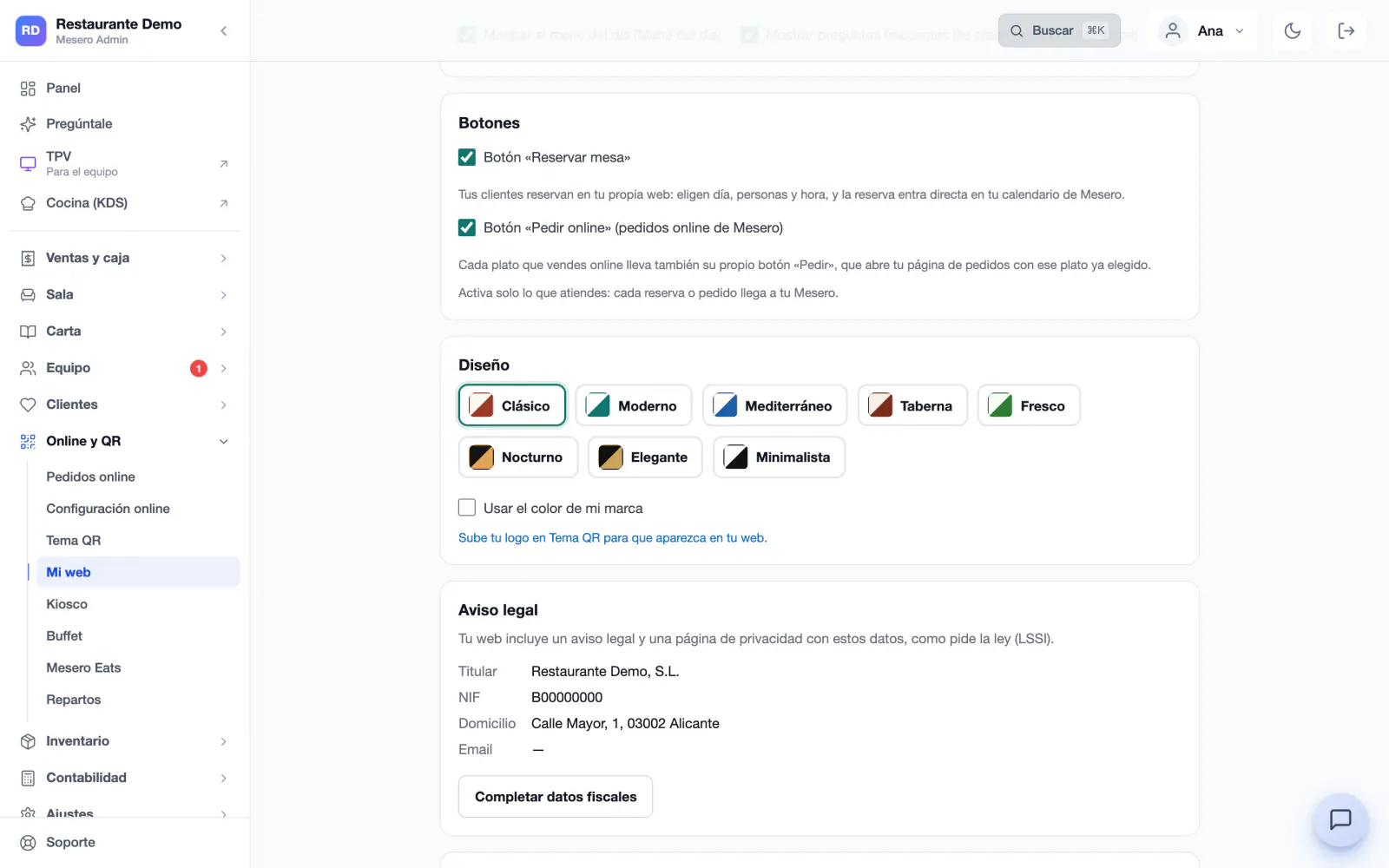
«Book a table» with Mesero's bookings, «Order online» with your online ordering, and WhatsApp with your phone number. Every booking or order reaches your Mesero.
One button and your website is online, at your free mesero.site address. If you change something, you save a draft and publish it when you want; until then your site stays as it was.
Connect it and your website shows on it, for example at www.yourrestaurant.com: Mesero tells you the record to create at your provider and the site goes live with its security certificate. The domain stays yours.
Pick the design that suits your place and, if you like, your brand colour. Each design brings its own typefaces, colours and phone version, which is where most people look you up.
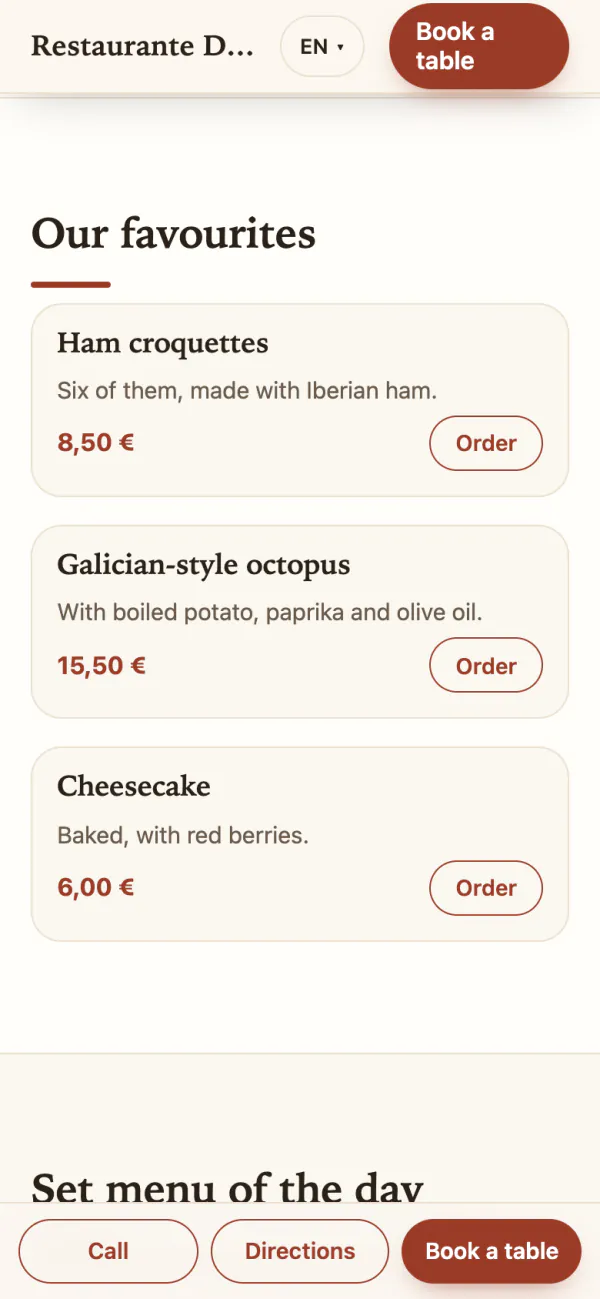
Classic · Tap a colour: it is the same website, built by Mesero, in each of the eight designs.
Example: a website built by Mesero with demo data, in each of its designs.
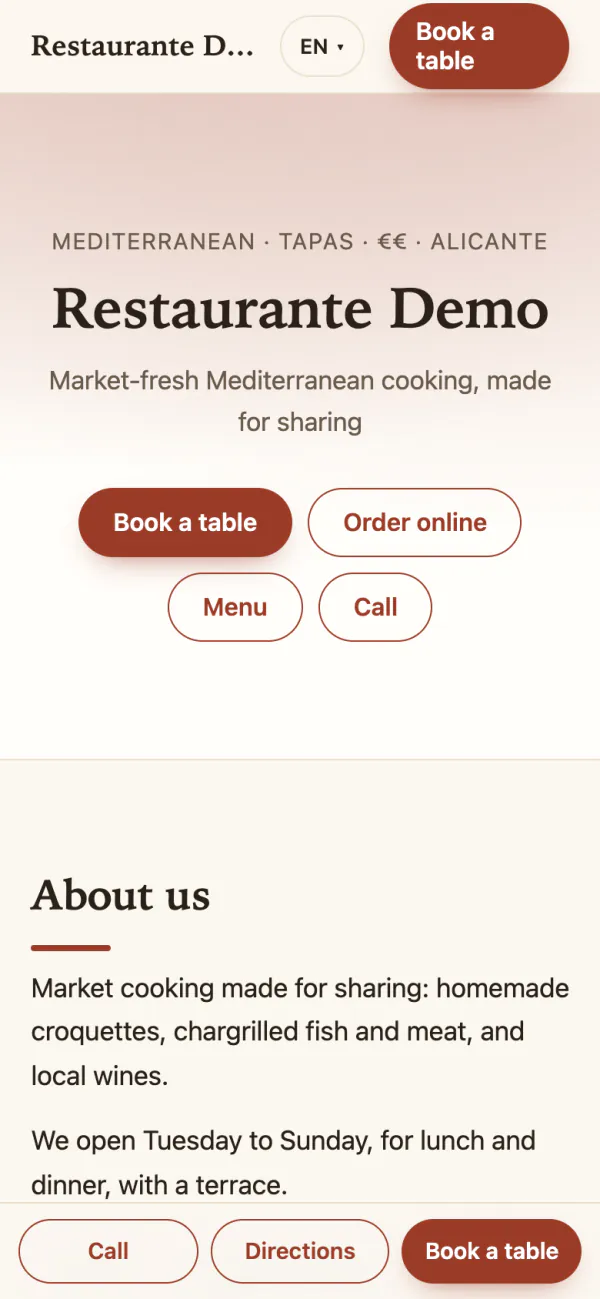
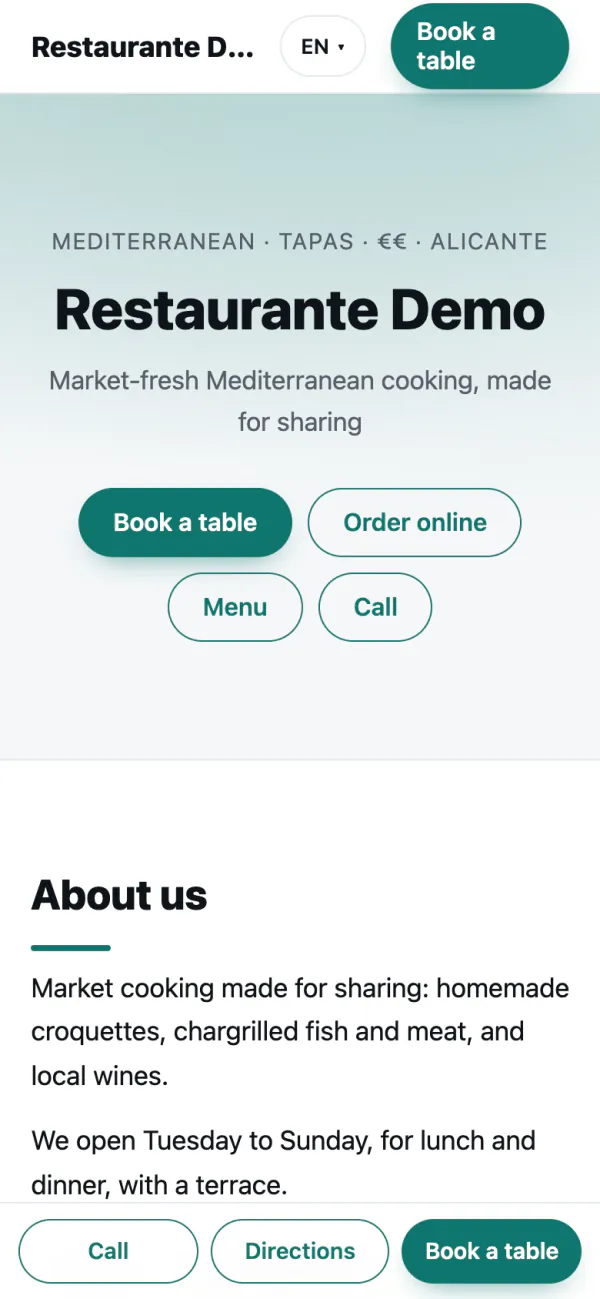
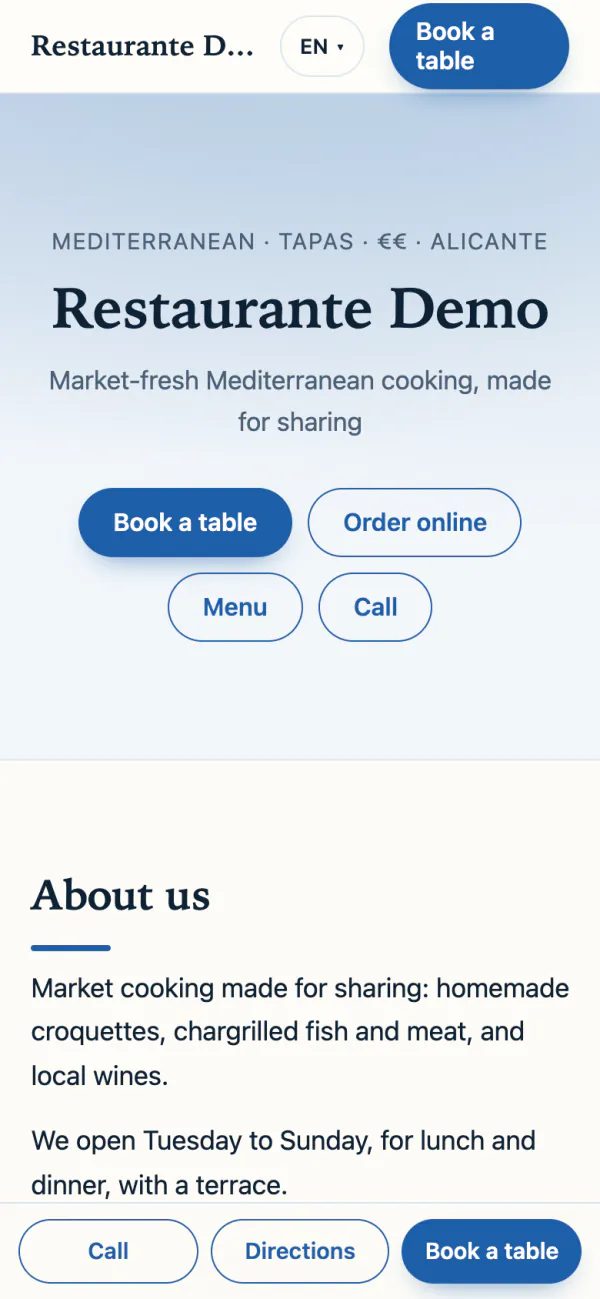
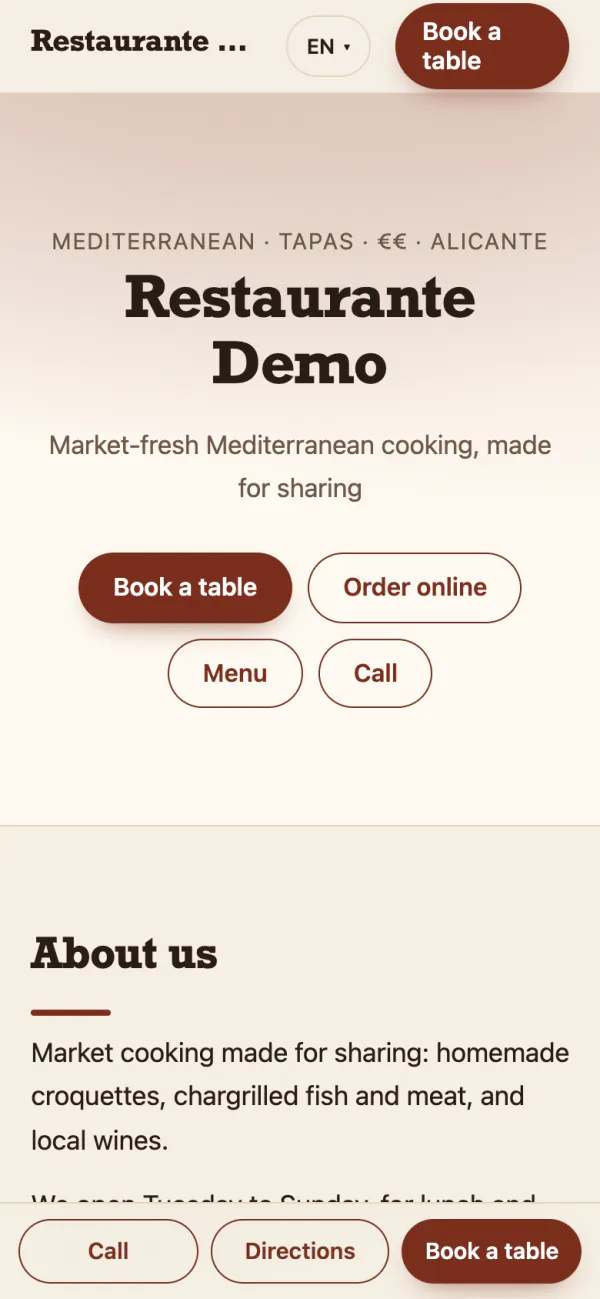
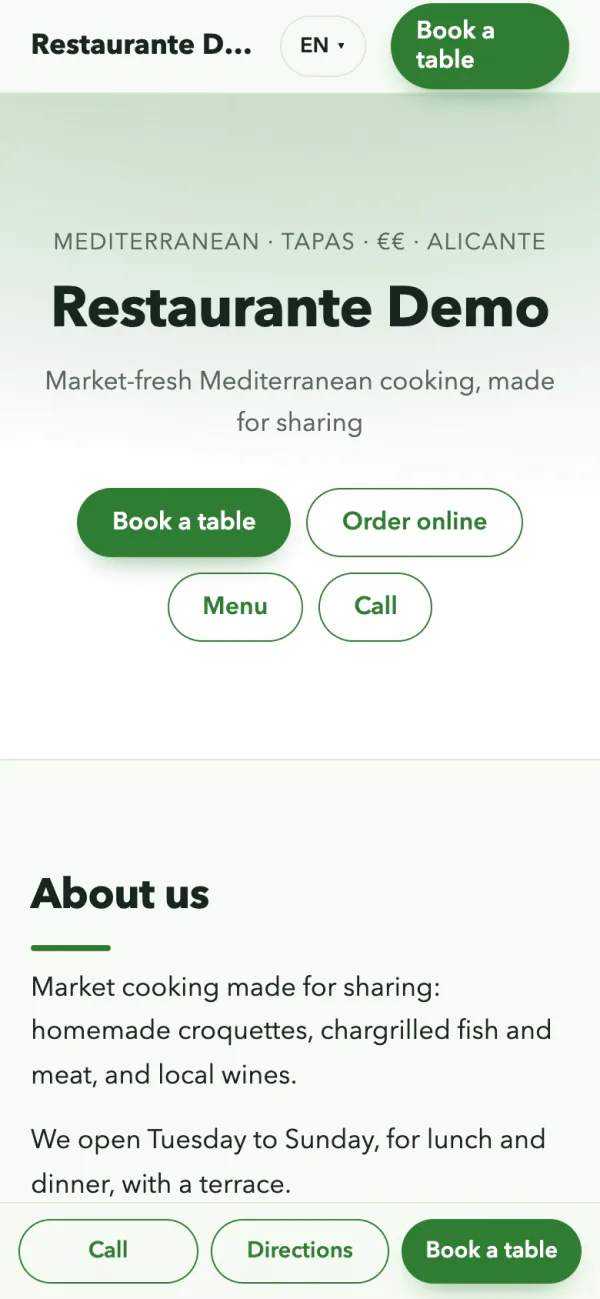
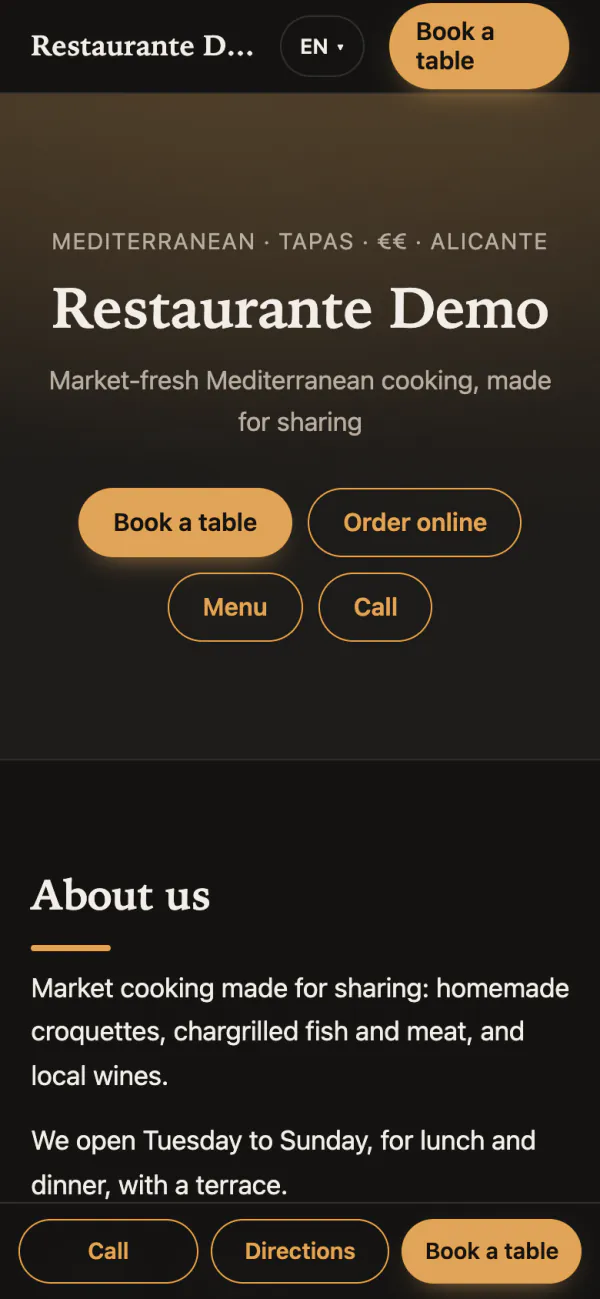
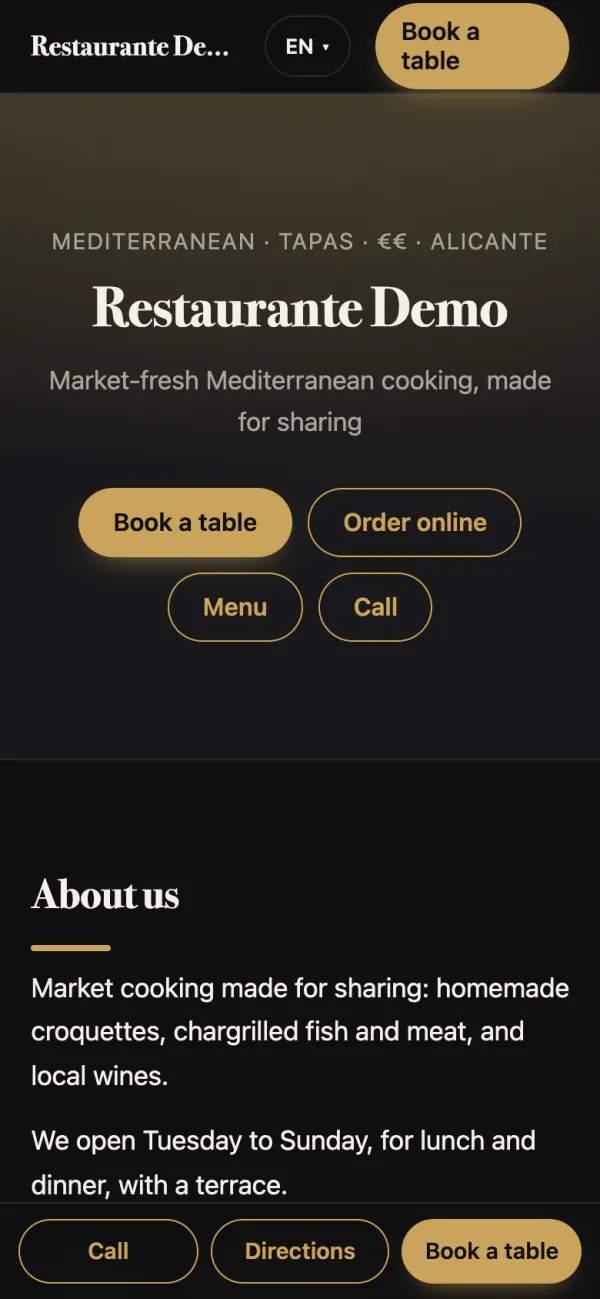
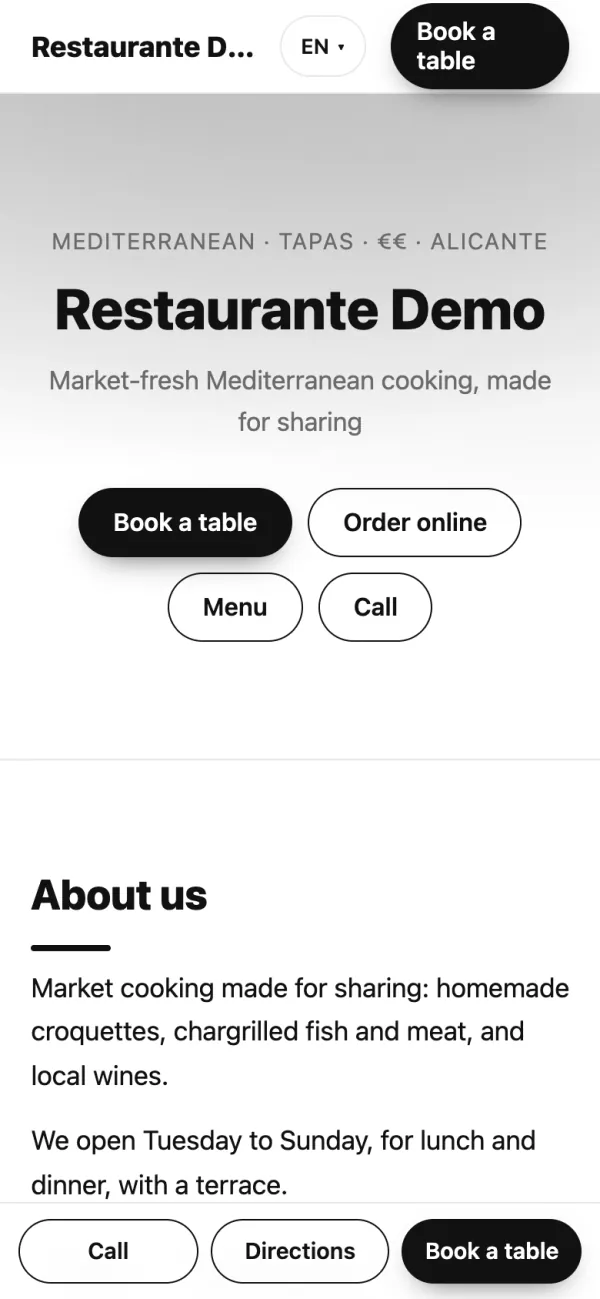
With Mesero's bookings, «Book a table» opens the booking on your own site: guests pick the day, party size and time, and the booking goes straight into your calendar. If you take a deposit, the button opens Mesero's booking page, where the deposit is paid by card.
With online ordering, «Order online» opens your ordering page, and every dish you sell online gets its own «Order» button, which opens that page with the dish already chosen.
Bookings and online ordering are on the Pro and Enterprise plans. Without them, your website shows your menu, opening hours, directions, phone and WhatsApp.
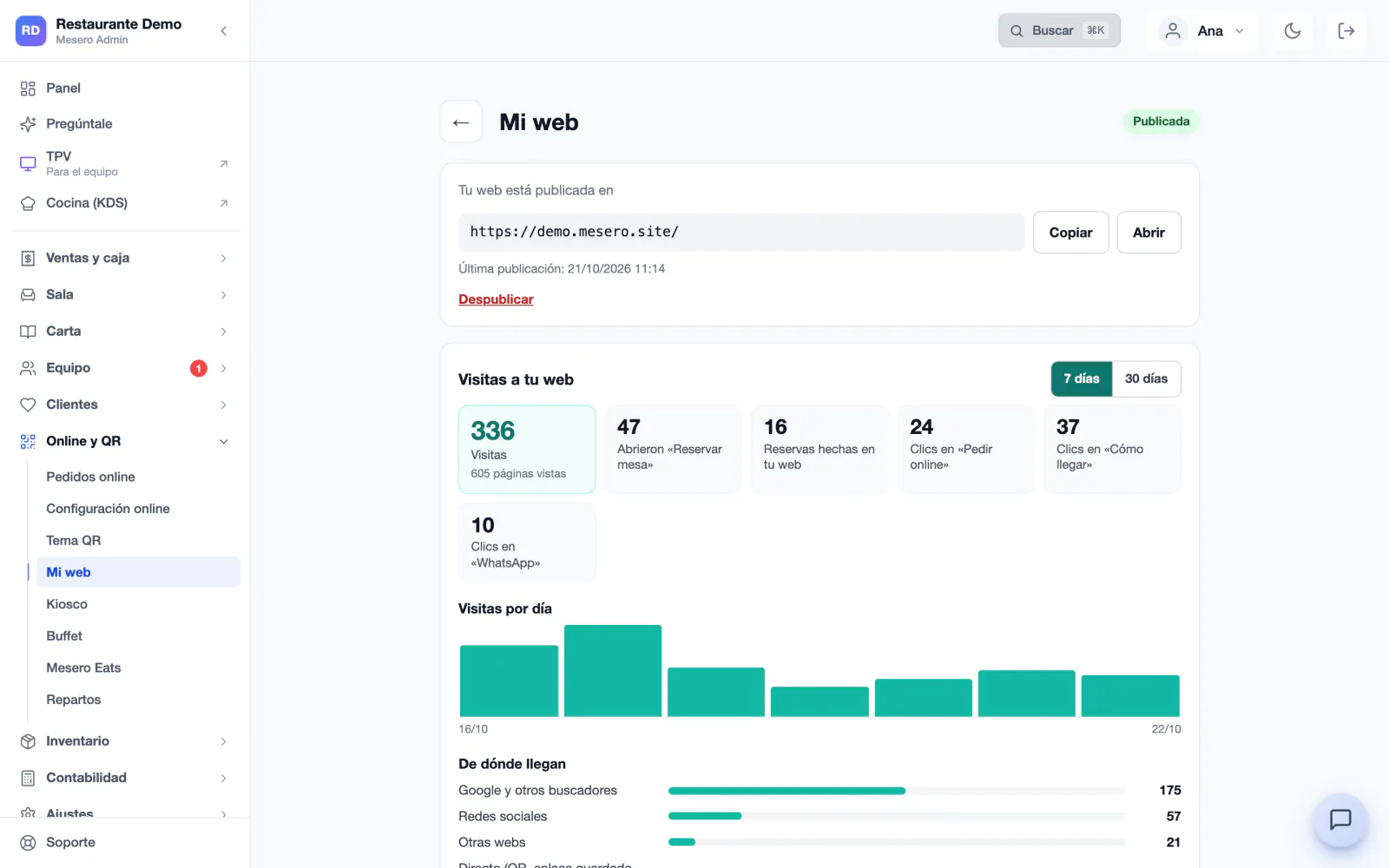
In My website you see the visits of the last 7 or 30 days, how many opened «Book a table» and how many booked, the clicks on «Order online», «Directions» and WhatsApp, and where visitors come from: Google, social networks, other websites or directly.
We count people, not bots, with no cookies and without storing IP addresses: your website needs no cookie banner.
Publish it in English, Catalan, German, French or Italian as well: each language has its own pages, with your copy and your menu translated, and guests pick the language at the top of the site.
A website made separately goes stale the day you change a price. Yours reads from the same database as your POS, and whatever comes in through it reaches your Mesero.
My website is not an extra module: it comes with Mesero, from the Barra plan up, and in the 90-day trial.
Your website is published at your mesero.site address, with its security certificate. If you already have a domain, you connect it.
No hosting to renew and nobody to ask to change a price: your menu already is your website.
The «Book a table» and «Order online» buttons use Mesero's bookings and online ordering, which are on Pro and Enterprise.
If your question is not here, write to us: a person from the team replies.
Talk to the teamNothing extra. My website comes with every Mesero plan and with the 90-day trial, and the mesero.site address is free too. The booking and online ordering buttons need Mesero's bookings and online ordering, which are on Pro and Enterprise.
Yes. If you already have one, you type it in My website, for example www.yourrestaurant.com, and Mesero tells you the DNS record to create at your provider. Within minutes, sometimes a few hours, your website shows on it with its security certificate. The domain stays yours.
The website updates itself: every hour, Mesero checks whether your menu has changed and republishes it. The copy and the design change when you press «Publish changes».
You do, with help: «Write with AI» suggests the tagline, the «About us» and the description for Google using only your restaurant's details, your menu and what you tell about your story. You review it and change anything you like; nothing is published without you.
No: visits are counted with no cookies and without storing IP addresses. And your website includes its legal notice and privacy page with your company details.
The restaurant's owner and administrators. The website speaks for your venue, so the rest of the team cannot edit it.
90 days free, no card. Add your menu to Mesero and your website will be ready to review and publish.