From a PDF or a few photos.
Attach your menu as a PDF or a few photos and ask it to load it. It puts the new dishes on a card for you to review, and they load when you confirm.
New · AI with your data
Type what you want to know —how much you sold yesterday, which dish is working, who's booked in today— and Ask your restaurant answers with your own figures from Mesero. Ask it for a change and it gets the change ready for you to confirm.
Ask it the way you'd ask your manager: in your own words. It looks at your data in Mesero, answers, and suggests the next question.
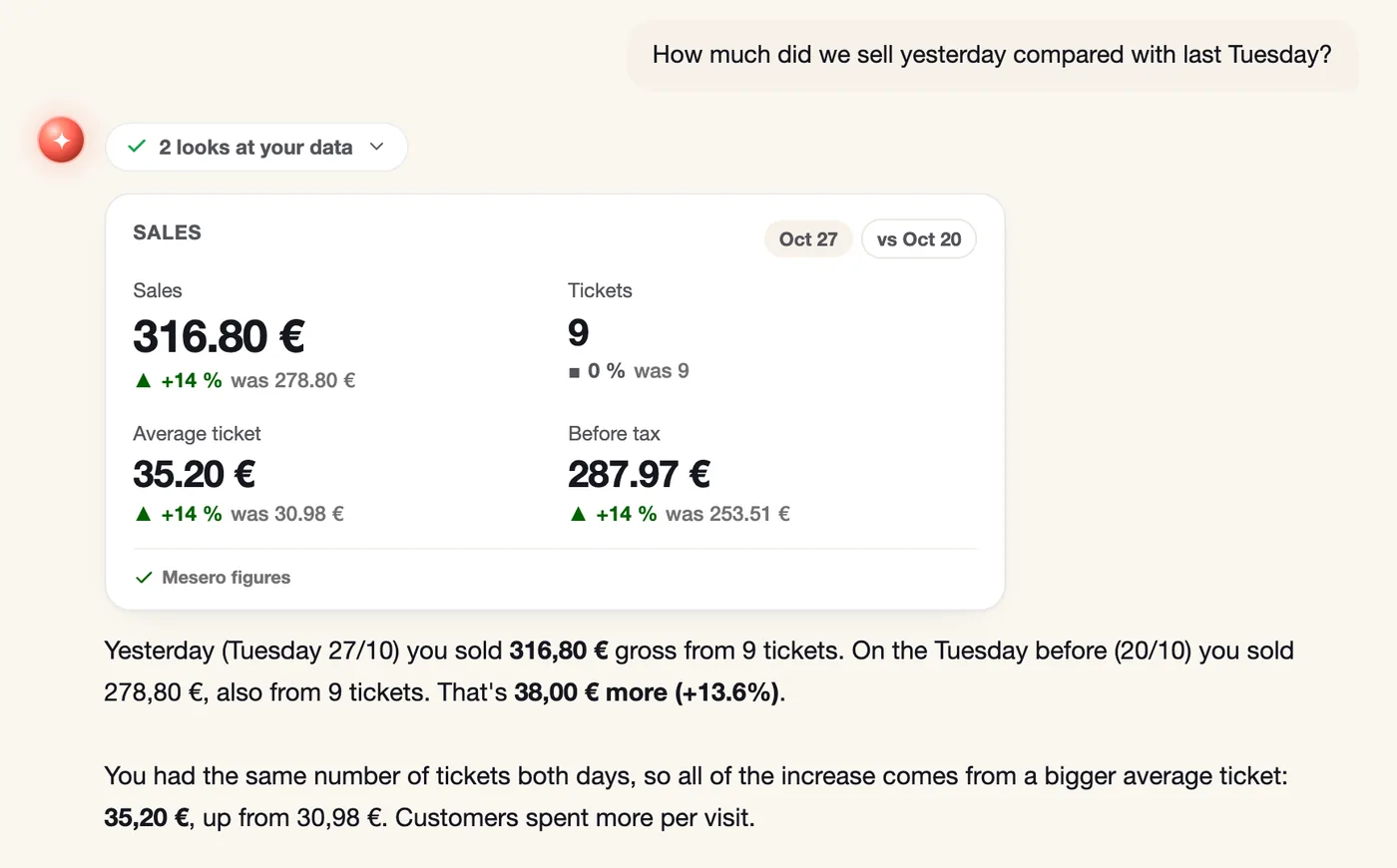
How much did we sell yesterday compared with last Tuesday?
Which dish sold the most this month?
What was the average ticket on Saturday?
What times do we sell the most this week?
Which customers come most often?
Who's booked in today?
How are our ratings this month?
Which products are sold out?
To answer, Ask your restaurant looks at your data in Mesero —sales, menu, tickets, customers, bookings or ratings— and shows you the numbers on cards marked «Mesero figures». When you compare, it puts the previous period alongside.
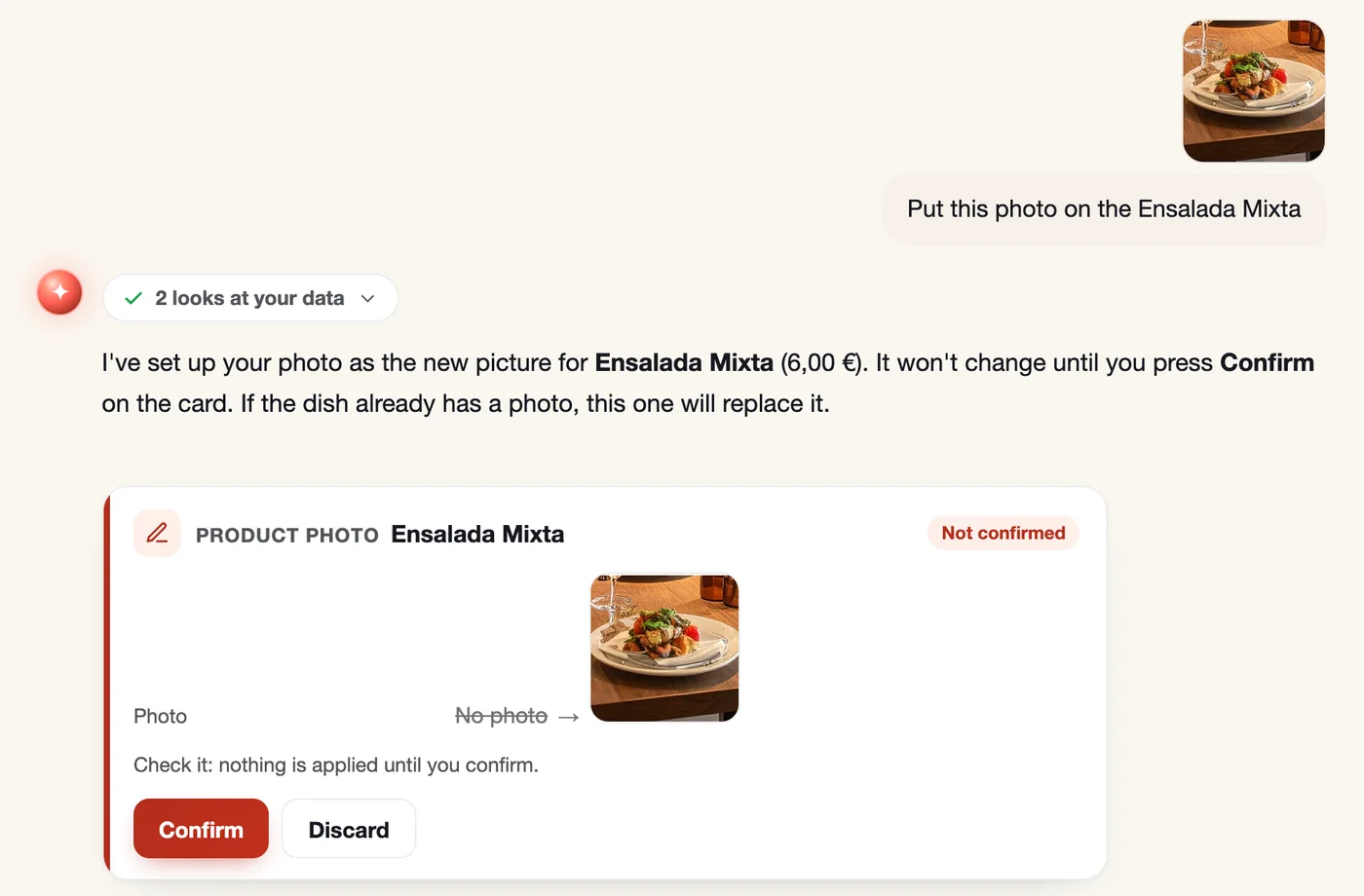
Raise a price, put a photo on a dish, confirm or cancel a booking, or update a customer's record: Ask your restaurant prepares the change on a card, and nothing is applied until someone presses Confirm. Not convinced? Discard.
Menu prices · Dish photos · Bookings · Customer records · Your menu from a PDF or photos
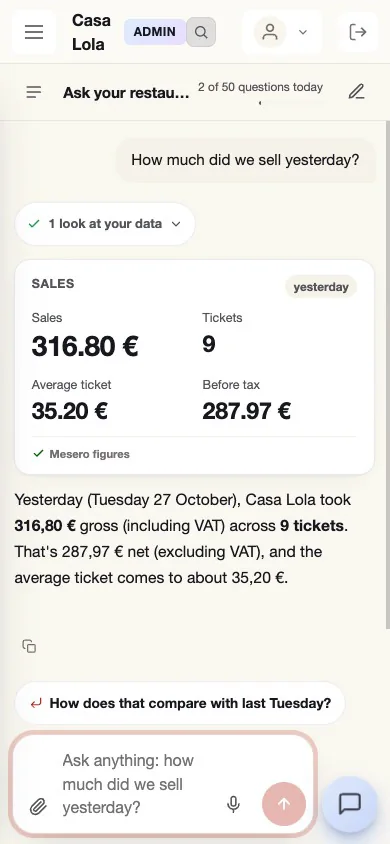
Ask your restaurant is in your Mesero panel, on the computer and on your phone: ask, look at the card and get back to service.
Ask your restaurant doesn't switch itself on: the owner or an administrator turns it on from its page in Mesero, after reading and accepting what data it uses.
The owner or an administrator switches it on from the Ask your restaurant page, accepting its terms, and can switch it off whenever they like.
Each person sees only their own conversations.
Mesero keeps conversations for 30 days; each person can delete theirs sooner.
Staff, customers and bookings reach the AI as codes: Mesero puts the names back only on your screen. Of what you type, the names Mesero recognises (of your staff, your customers and your bookings) and phone numbers and emails reach it as codes; the rest, as you typed it. The photos and PDFs you attach reach it whole: the AI sees everything in them.
Ask your restaurant uses Anthropic's AI. The data is processed in the US, with the European Commission's standard contractual clauses safeguarding the transfer.
Each restaurant has a maximum number of questions a day.
Don't type anyone's health, religion or other sensitive data: Ask your restaurant tries to stop those questions, but doesn't stop them all.
All the details are in our privacy policy.
If you have another question, write to us: a person from the team will answer.
Talk to the teamRestaurants in Spain on the Pro or Enterprise plan, and during the trial. The owner or an administrator switches it on from the Ask your restaurant page, after reading and accepting what data it uses.
No. When you ask for a change, it prepares it on a card and nothing is applied until someone presses Confirm. If you're not convinced, you discard it.
From Mesero. To answer, Ask your restaurant looks at your data, and the cards show those figures, marked «Mesero figures». When it looks at your data, it tells you how many times it did.
Each restaurant has a maximum number of questions a day, and the counter is on screen.
Only you: each person sees only their own conversations. Mesero keeps them for 30 days, and you can delete them sooner.
Ask your restaurant uses Anthropic's AI. The data is processed in the US, with the European Commission's standard contractual clauses safeguarding the transfer. Staff, customers and bookings reach it as codes, without their names. Of what you type, the names Mesero recognises (of your staff, your customers and your bookings) and phone numbers and emails reach it as codes; the rest, as you typed it. The photos and PDFs you attach reach it whole: the AI sees everything in them. All the details are in our privacy policy.
No. Ask your restaurant is for restaurants in Spain.
Already on Mesero with Pro or Enterprise? You'll find it in your Mesero panel. Not yet? Create your restaurant: for restaurants in Spain, Ask your restaurant is included in the trial.
Mesero is an independent company: it uses Anthropic's AI as a provider and is not affiliated with Anthropic.